Screens

ShiftKit, screen by screen

Every screenshot from the App Store listing, from the shipping build, with a line on what each screen is for. One purchase covers all four devices.

iPhone

iPhone

Five tabs along the bottom: Today, Calendar, Log, Insights and Settings.
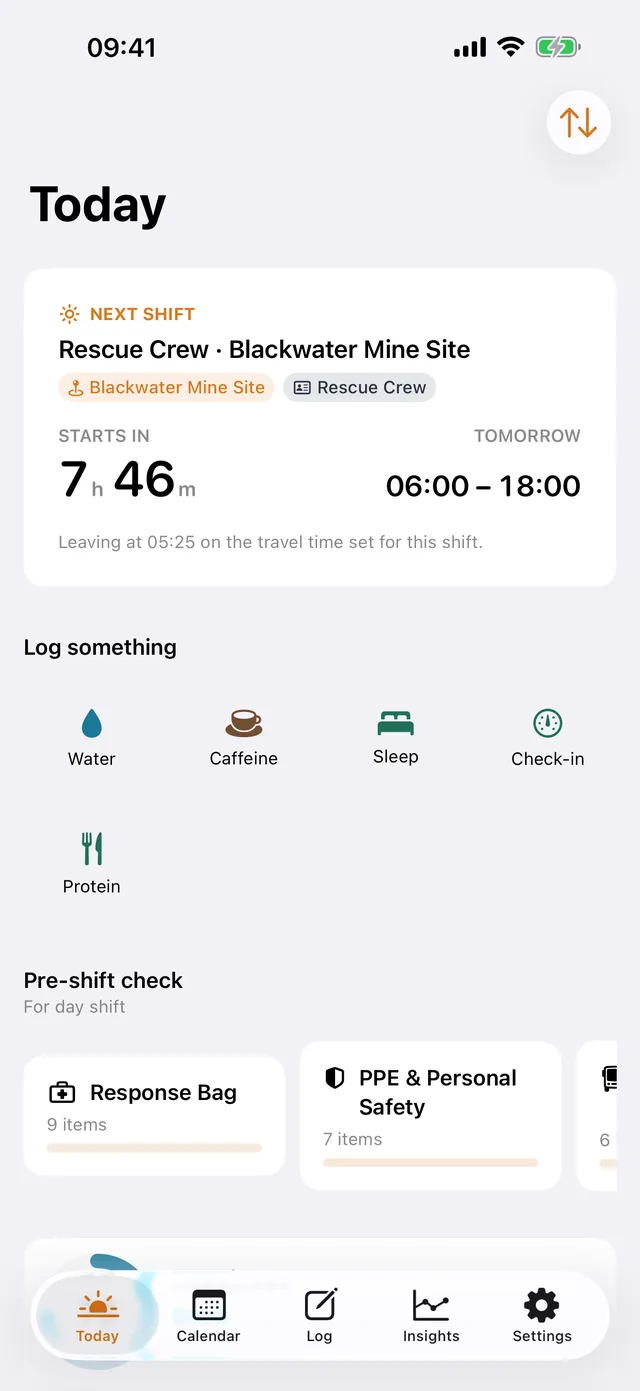
ShiftKit on iPhone: the Today screen. The next shift with its start time and a countdown, the quick logs, and the pre-shift checklists.
TodayThe next shift with its start time and a countdown, the quick logs, and the pre-shift checklists.
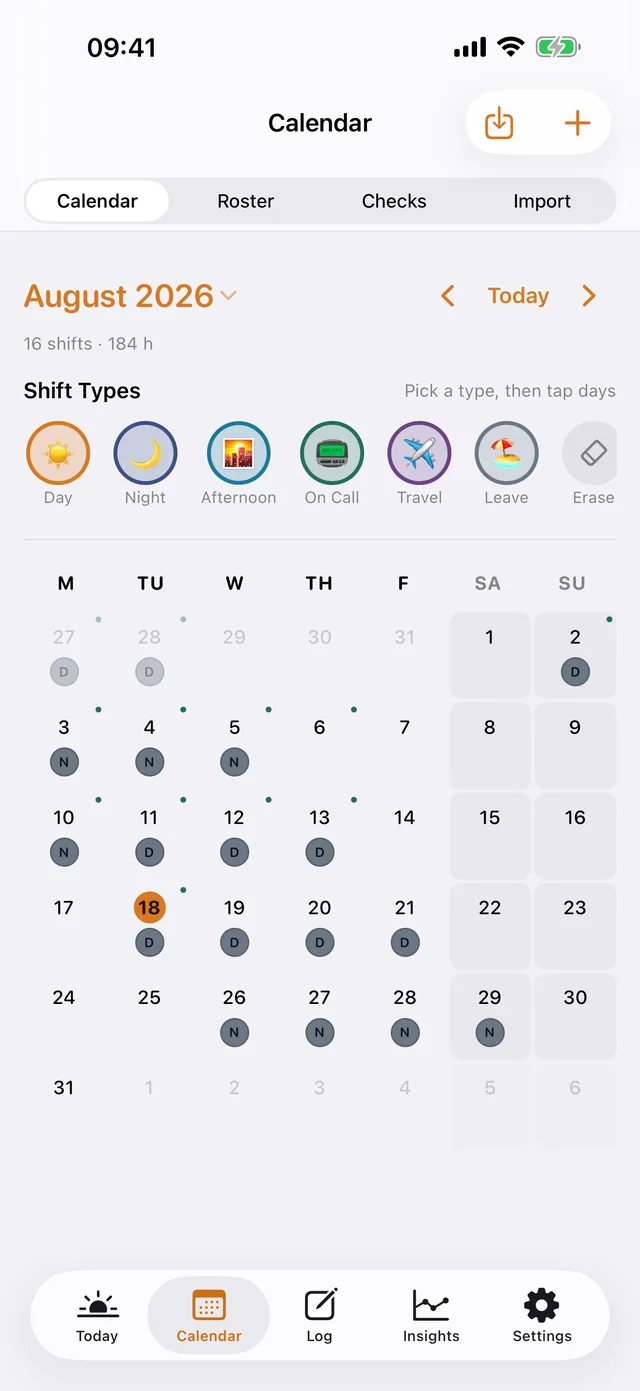
ShiftKit on iPhone: the Calendar screen. The month with every shift stamped in its colour, and the shift types to tap onto a day.
CalendarThe month with every shift stamped in its colour, and the shift types to tap onto a day.
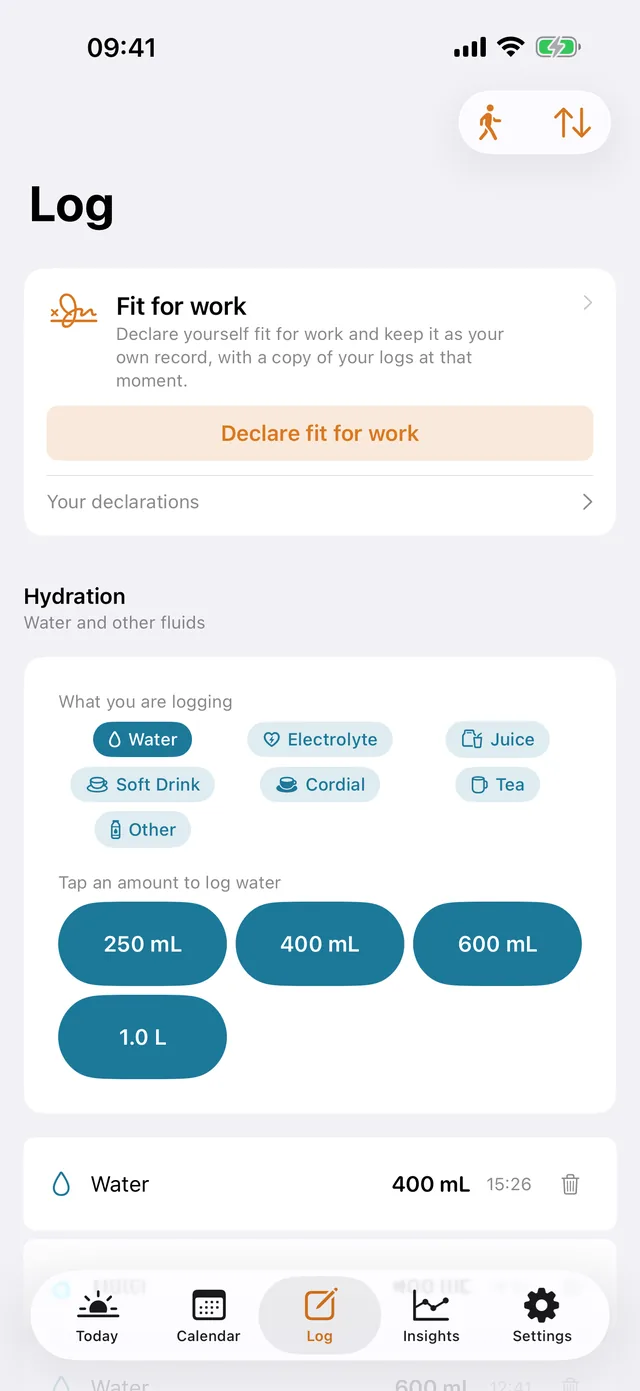
ShiftKit on iPhone: the Log screen. Fit for work, hydration with one-tap amounts, and everything else you write down.
LogFit for work, hydration with one-tap amounts, and everything else you write down.
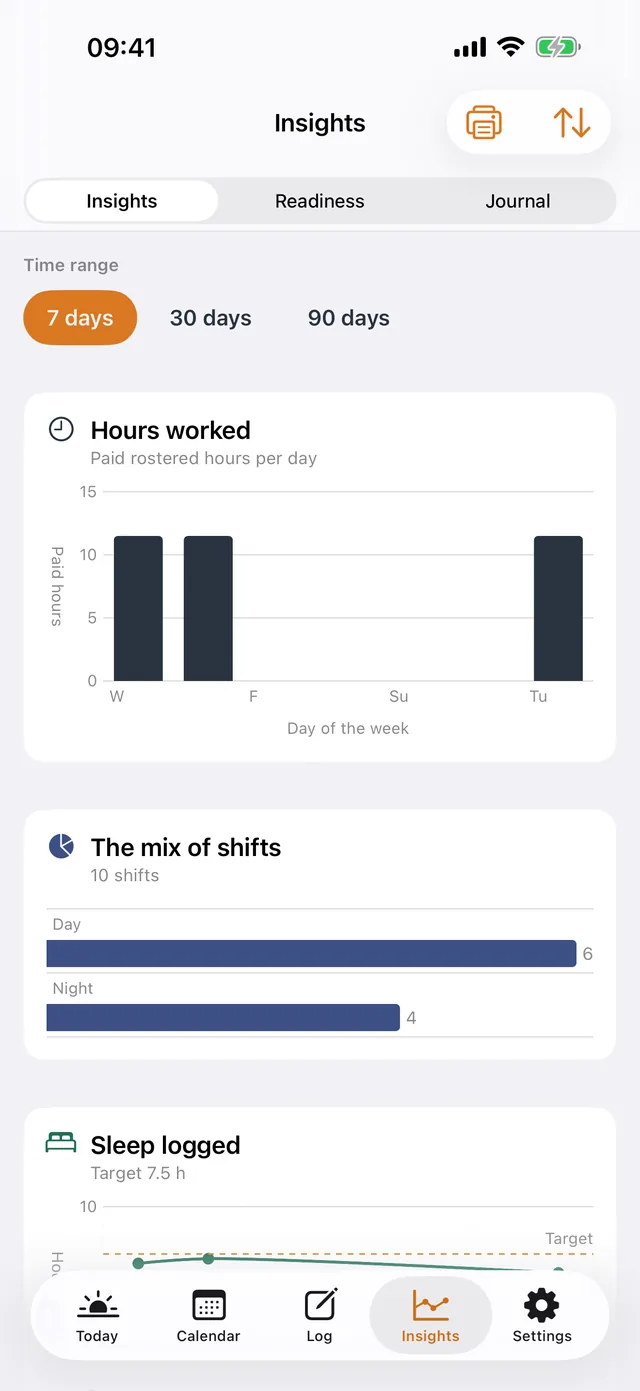
ShiftKit on iPhone: the Insights screen. Hours worked, the mix of shifts and the sleep logged, over seven, thirty or ninety days.
InsightsHours worked, the mix of shifts and the sleep logged, over seven, thirty or ninety days.
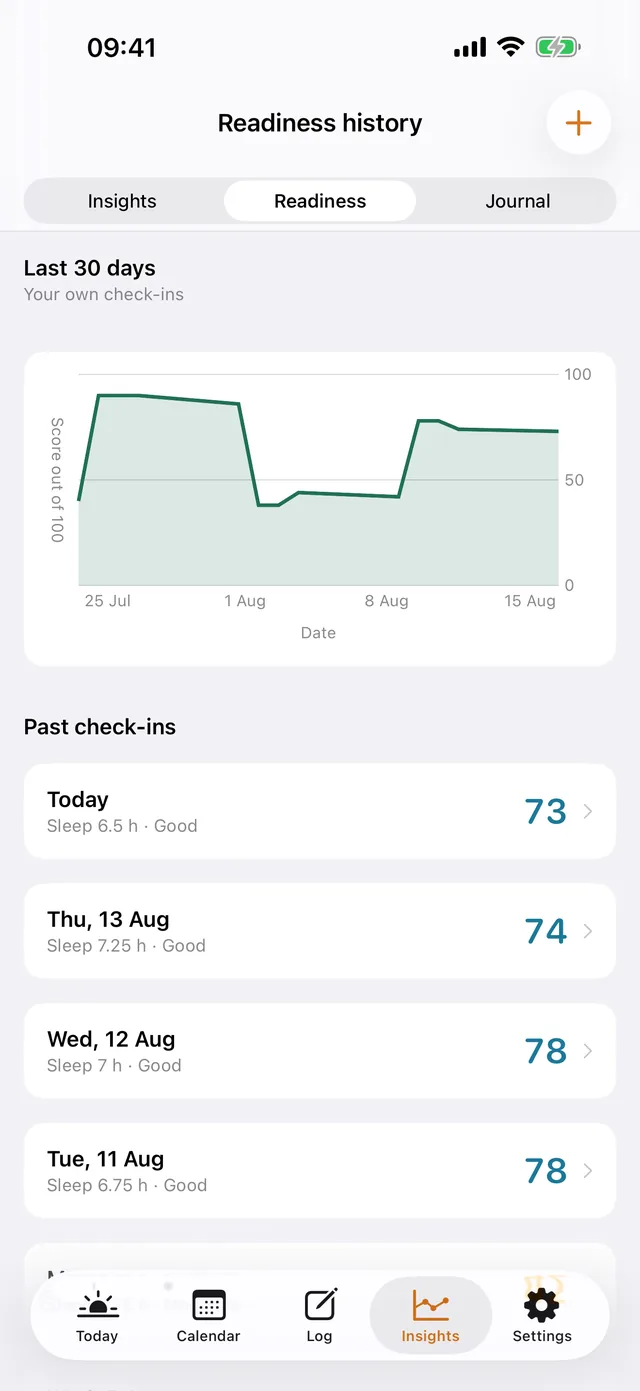
ShiftKit on iPhone: the Readiness history screen. Thirty days of morning check-ins as a line, with each day's figure below.
Readiness historyThirty days of morning check-ins as a line, with each day's figure below.
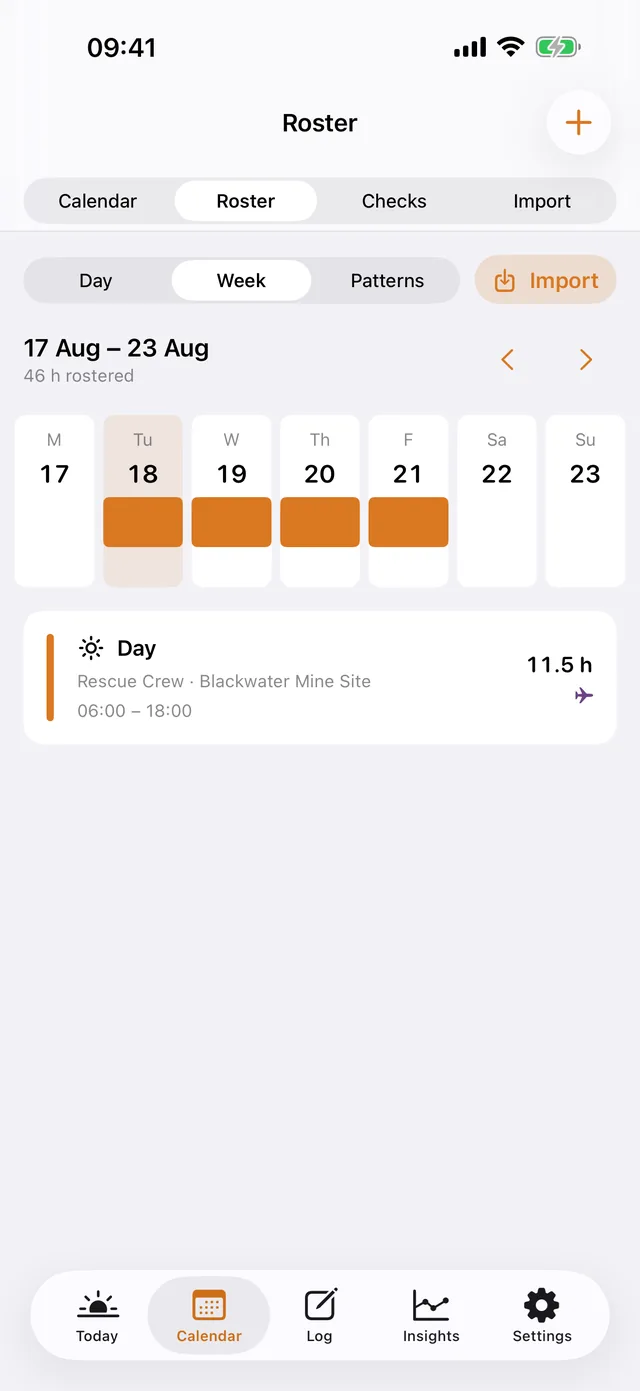
ShiftKit on iPhone: the Roster screen. The week planner, with a swing laid out a day at a time.
RosterThe week planner, with a swing laid out a day at a time.
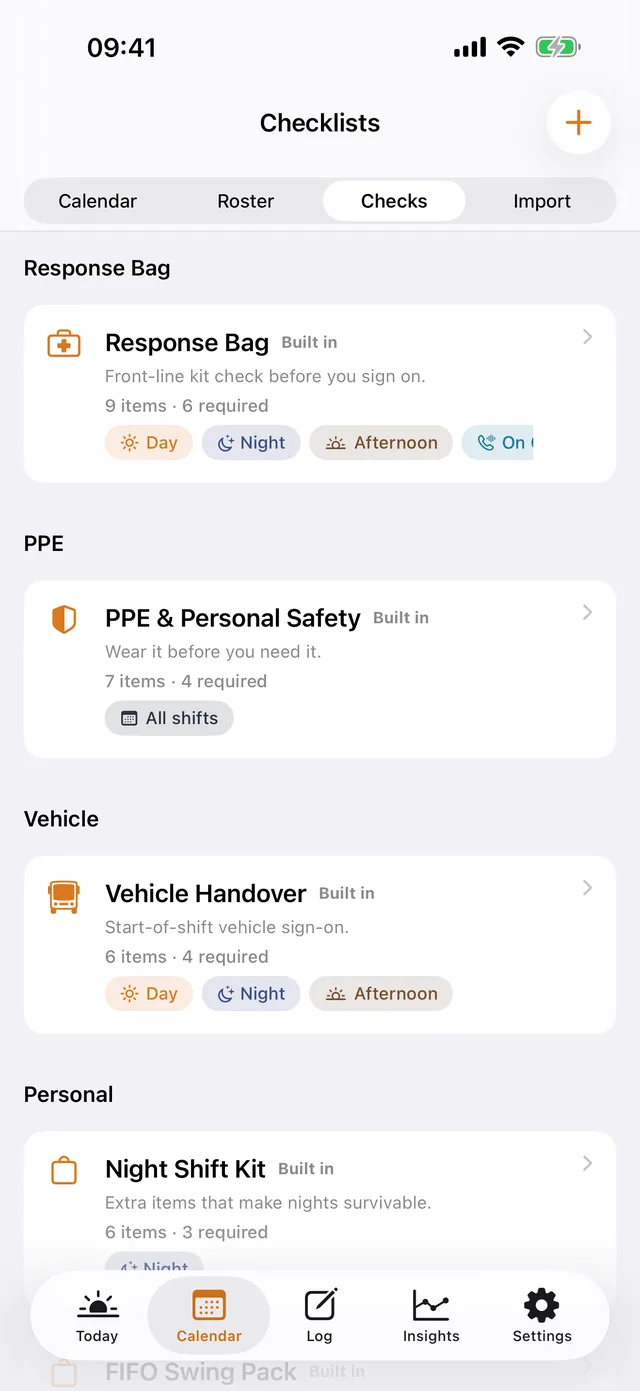
ShiftKit on iPhone: the Checklists screen. Response bag, PPE and vehicle handover, each with the shifts it belongs to.
ChecklistsResponse bag, PPE and vehicle handover, each with the shifts it belongs to.
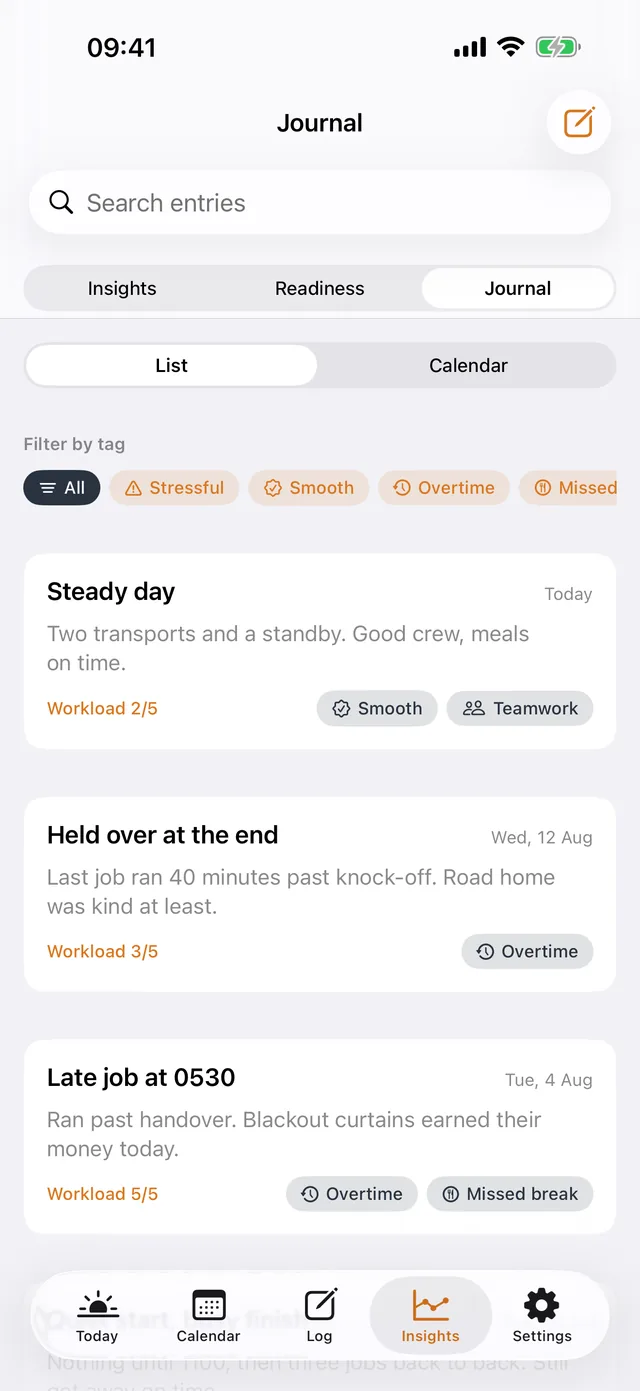
ShiftKit on iPhone: the Journal screen. Short notes on the shift, with tags, searchable later.
JournalShort notes on the shift, with tags, searchable later.

iPad

iPad

The same app, with a sidebar in place of the tabs.
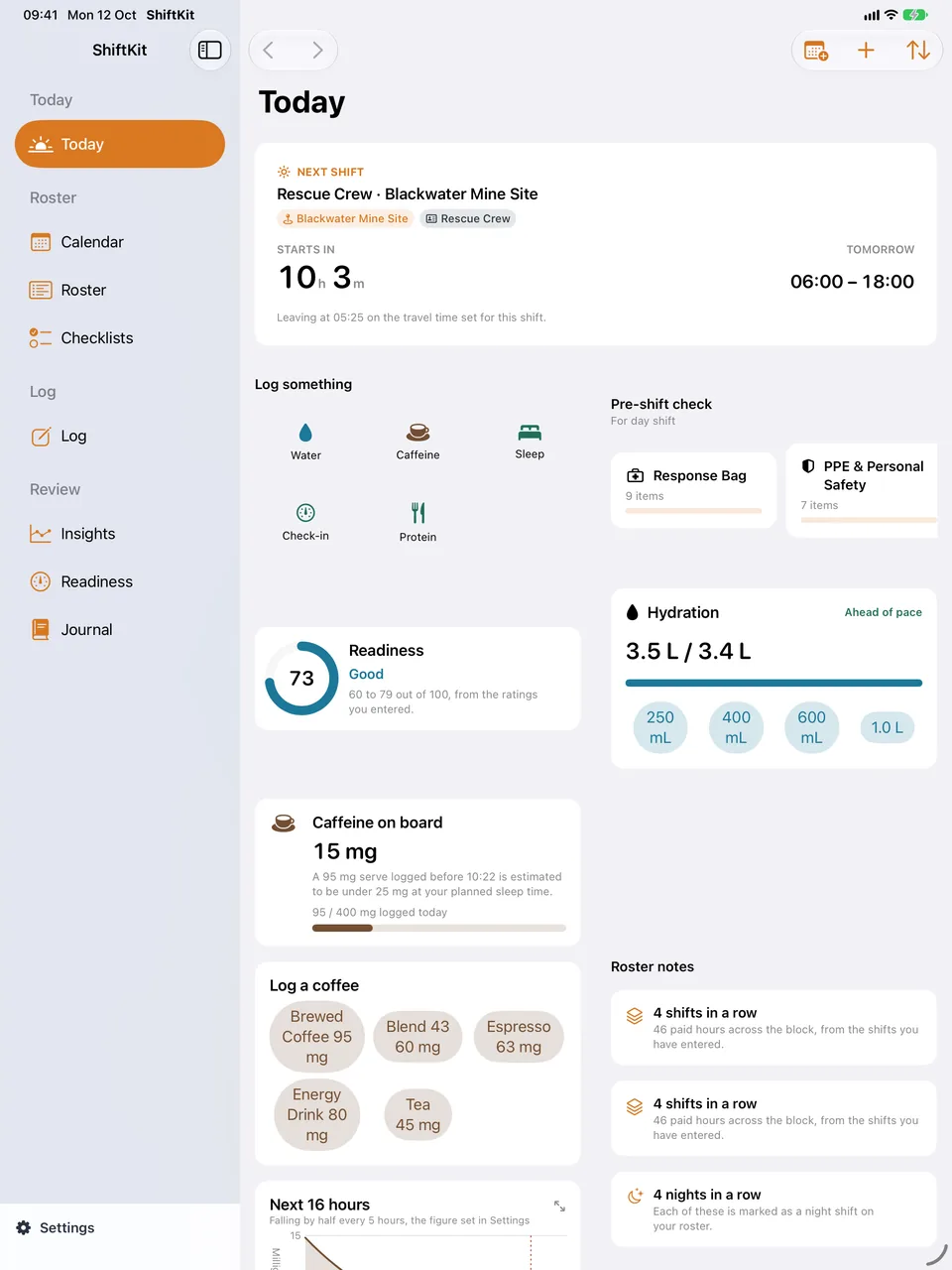
ShiftKit on iPad: the Today screen. The sidebar down the left and the Today cards spread across the wider screen.
TodayThe sidebar down the left and the Today cards spread across the wider screen.
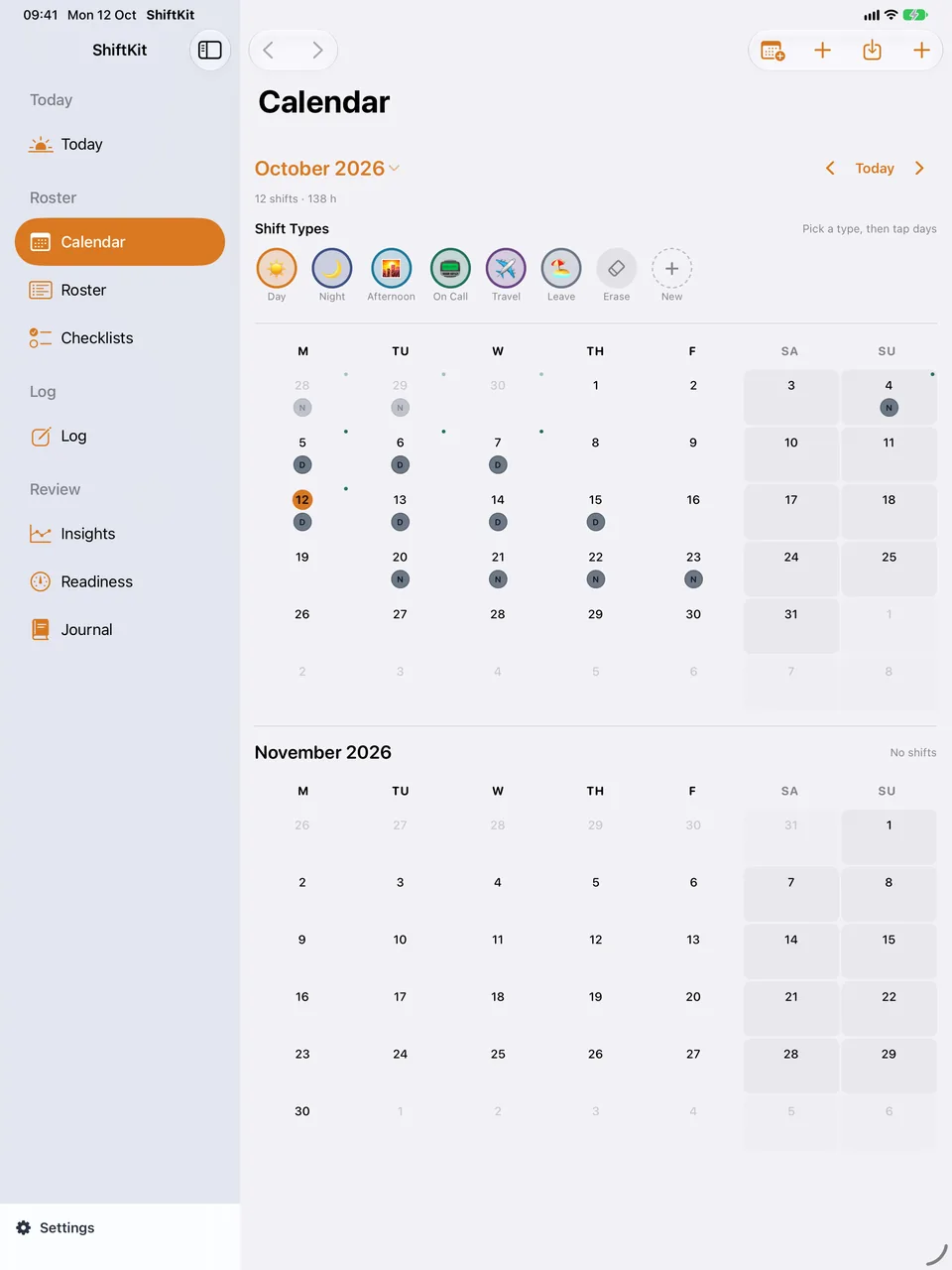
ShiftKit on iPad: the Calendar screen. Two months at once, with the shift types along the top.
CalendarTwo months at once, with the shift types along the top.
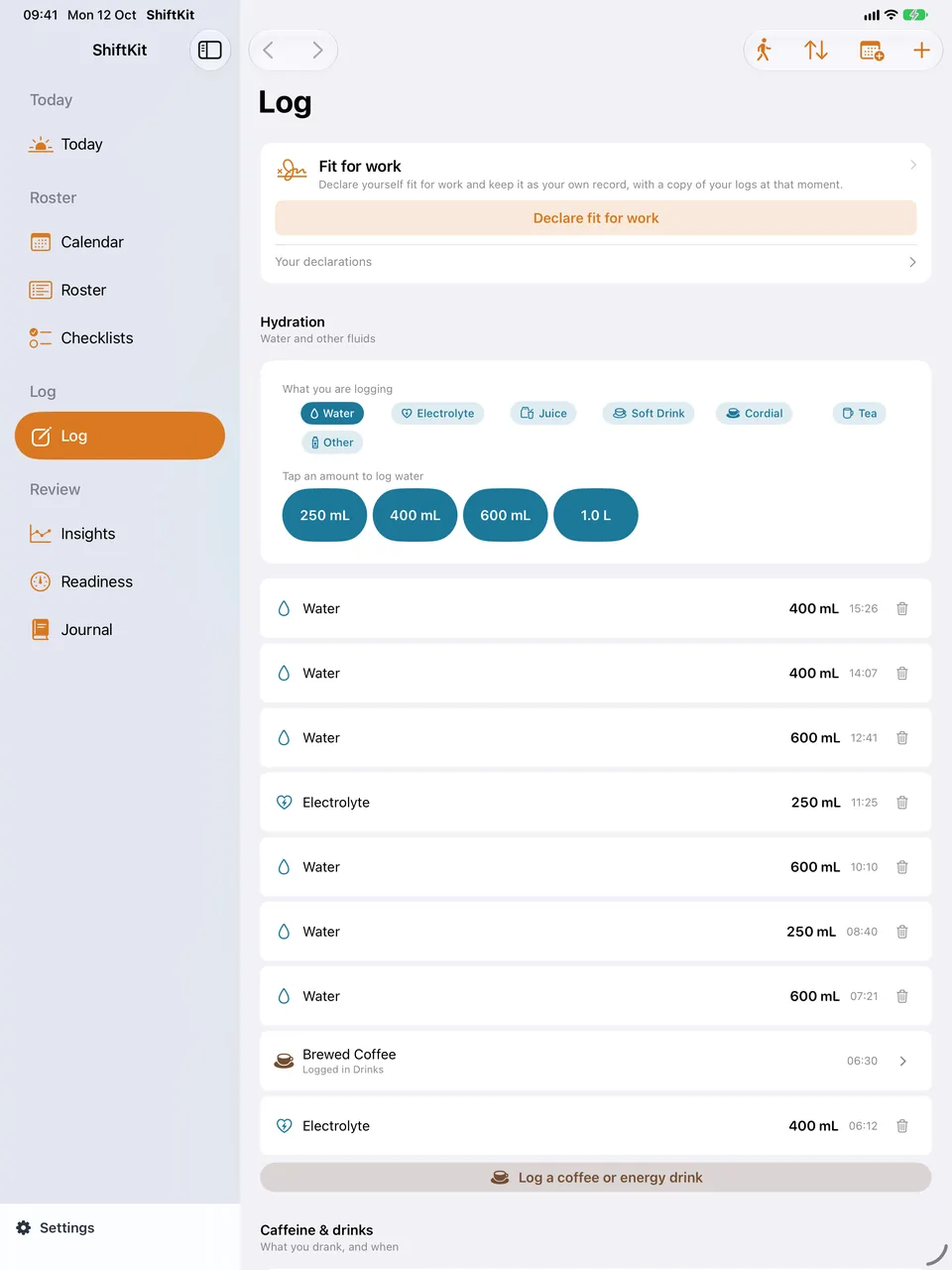
ShiftKit on iPad: the Log screen. Hydration and the day's entries in one column.
LogHydration and the day's entries in one column.
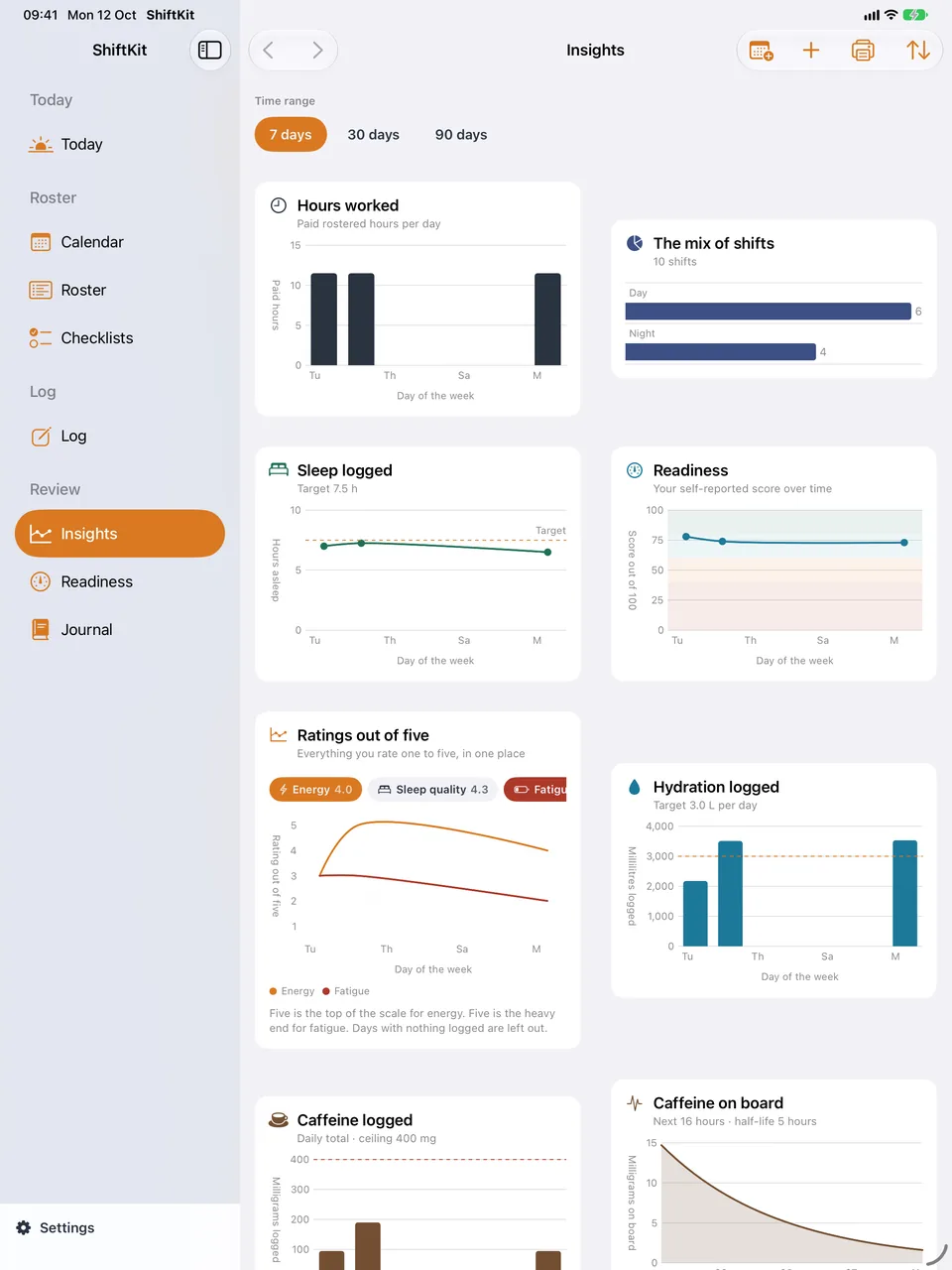
ShiftKit on iPad: the Insights screen. Every chart side by side.
InsightsEvery chart side by side.
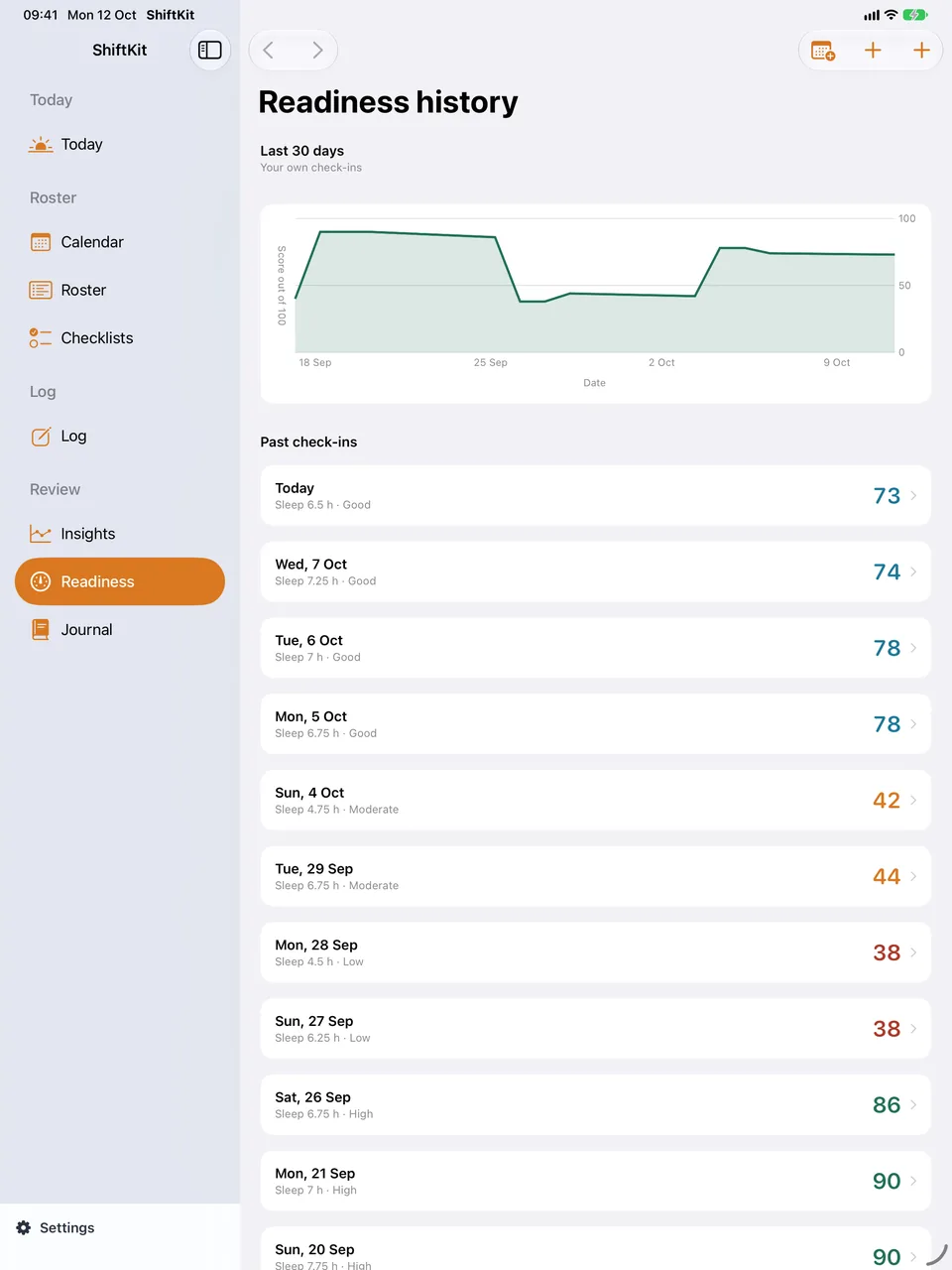
ShiftKit on iPad: the Readiness history screen. The trend and the full list of check-ins.
Readiness historyThe trend and the full list of check-ins.
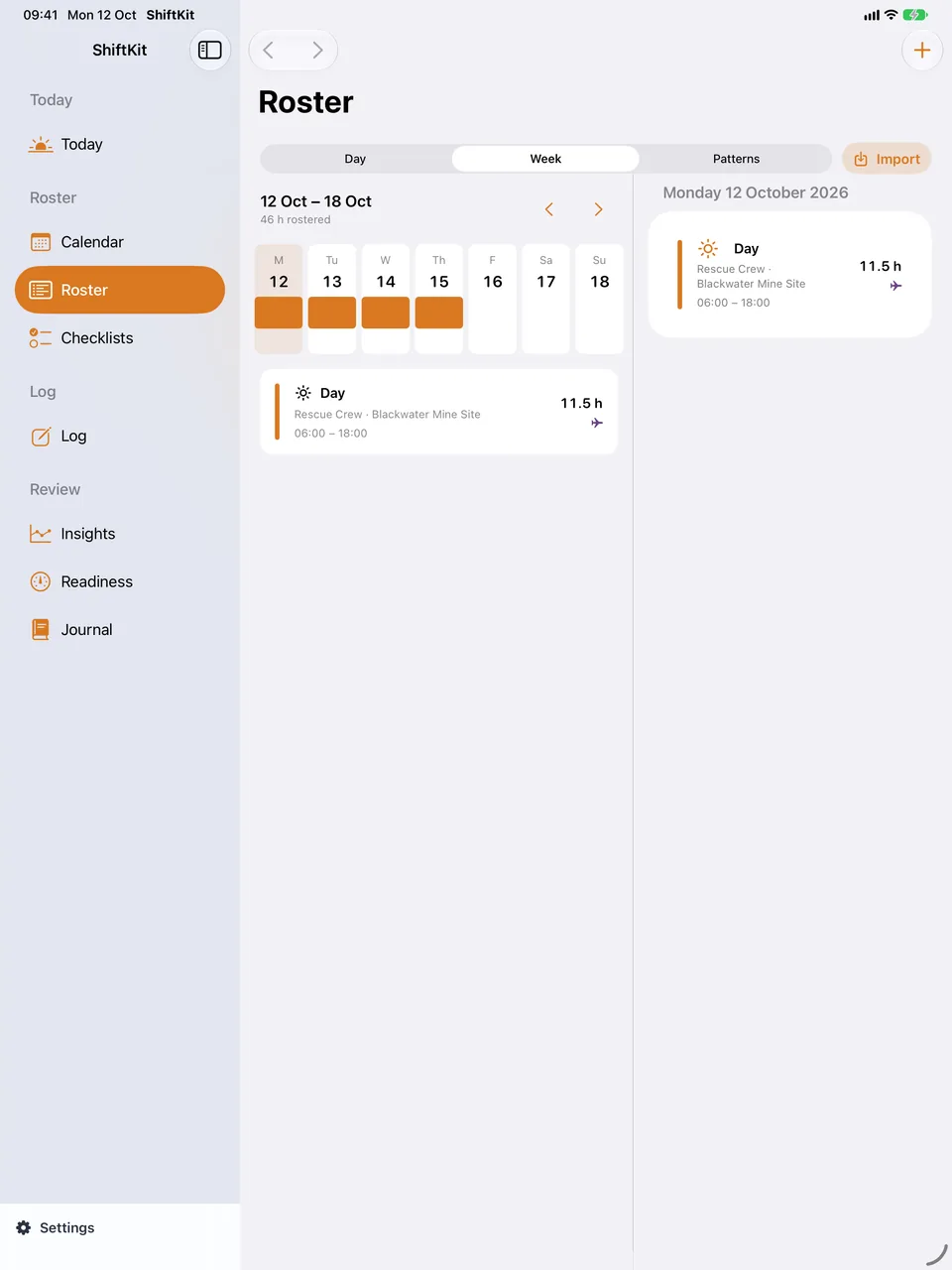
ShiftKit on iPad: the Roster screen. The week planner with room to see the whole swing.
RosterThe week planner with room to see the whole swing.
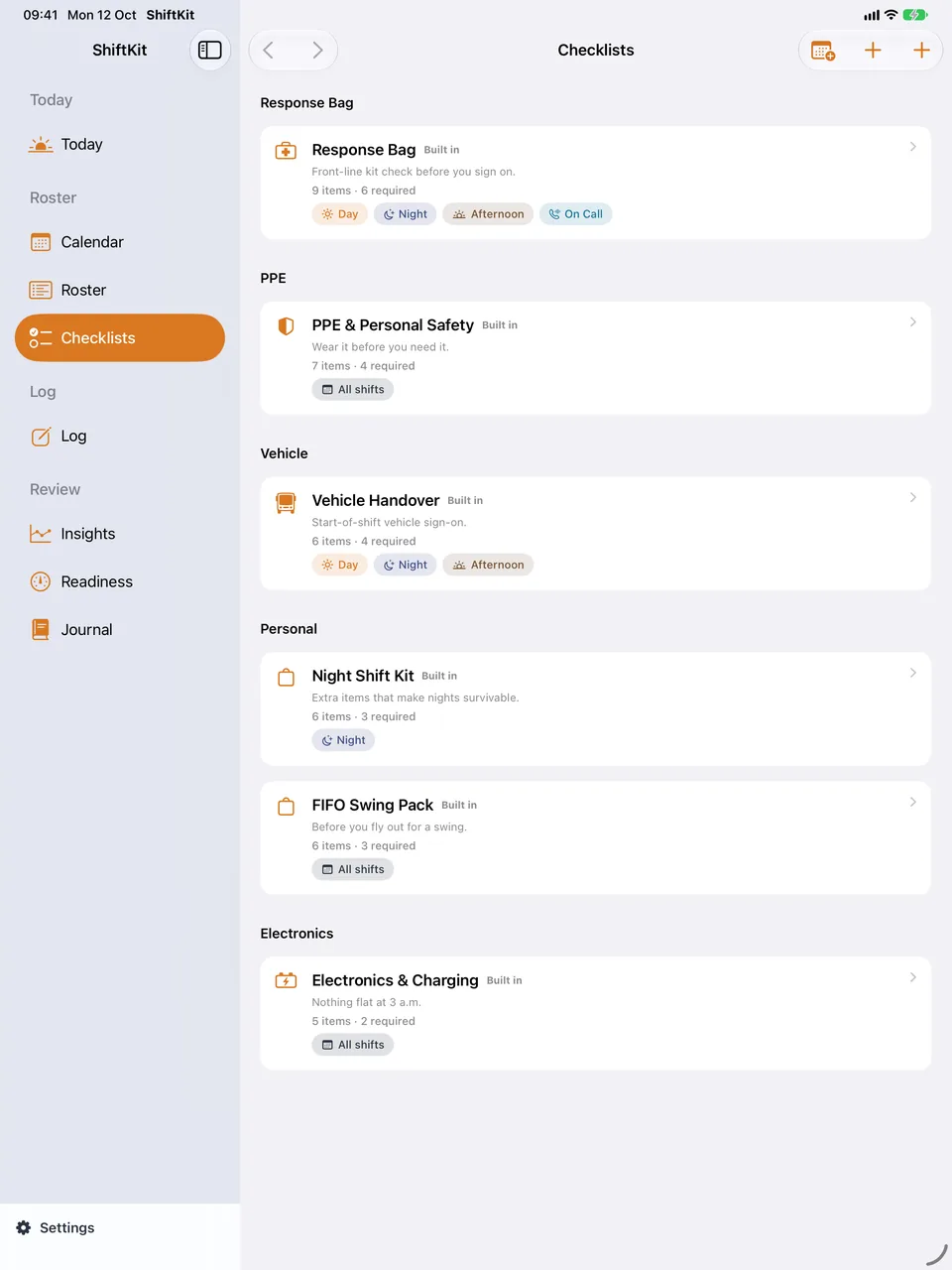
ShiftKit on iPad: the Checklists screen. Every template with its items and the shifts it is for.
ChecklistsEvery template with its items and the shifts it is for.
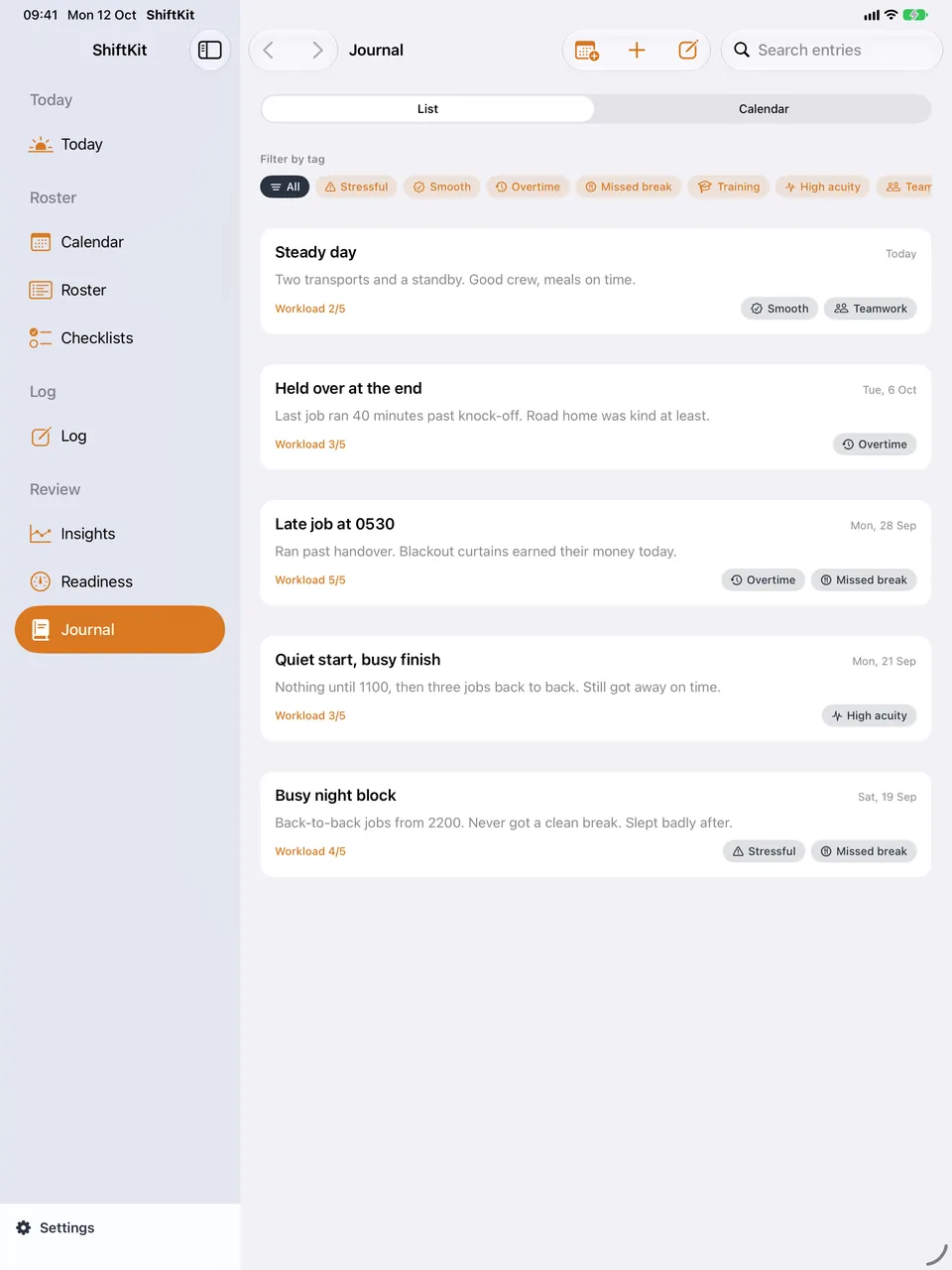
ShiftKit on iPad: the Journal screen. Entries with tags and a search field.
JournalEntries with tags and a search field.

Mac

Mac

A full Mac app with a sidebar, keyboard shortcuts and a Today board you arrange. Apple Health and the weather panel stay on iPhone and iPad.
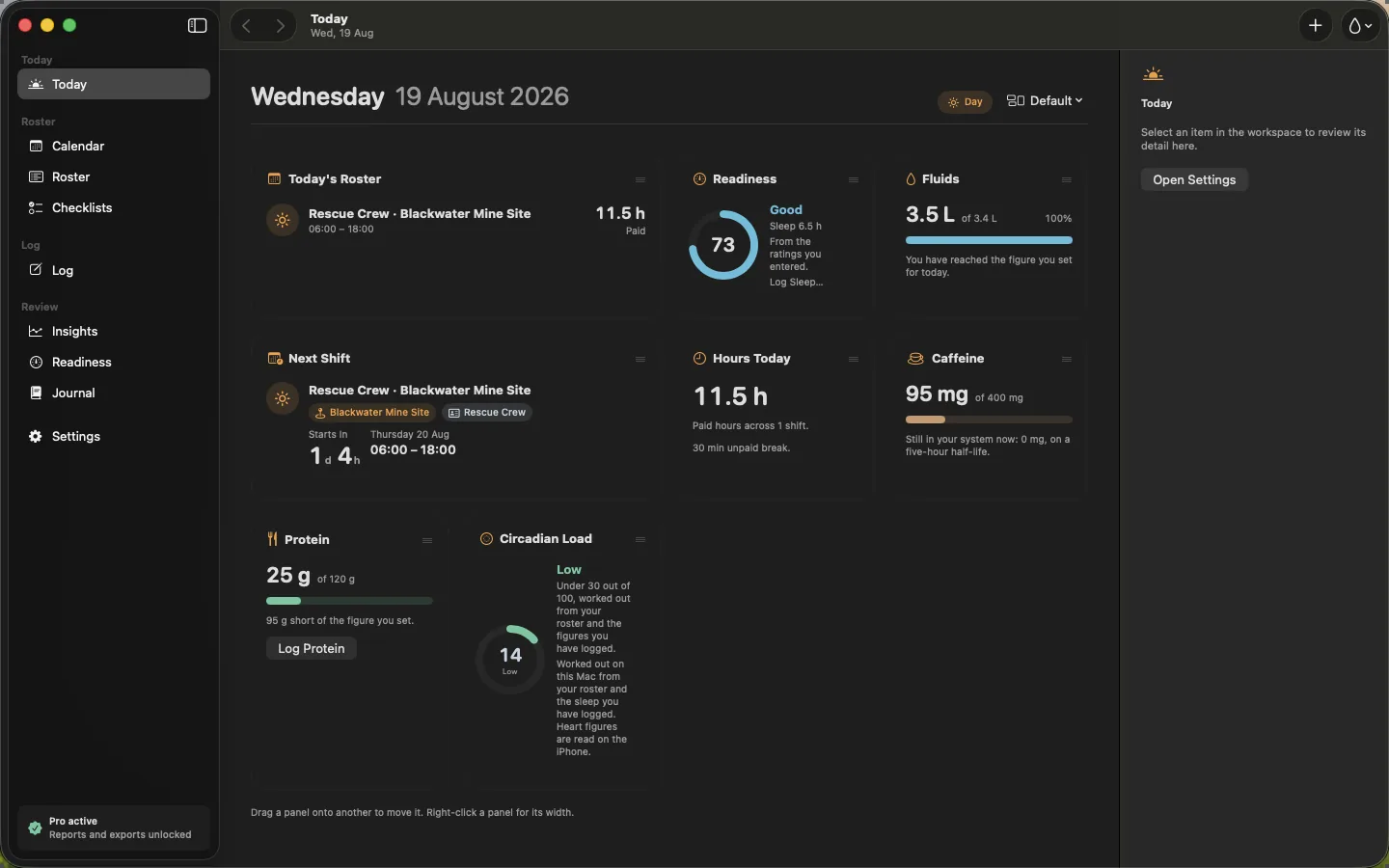
ShiftKit on Mac: the Today board screen. Today's roster, readiness, water, caffeine on board, protein and circadian load, arranged panel by panel.
Today boardToday's roster, readiness, water, caffeine on board, protein and circadian load, arranged panel by panel.
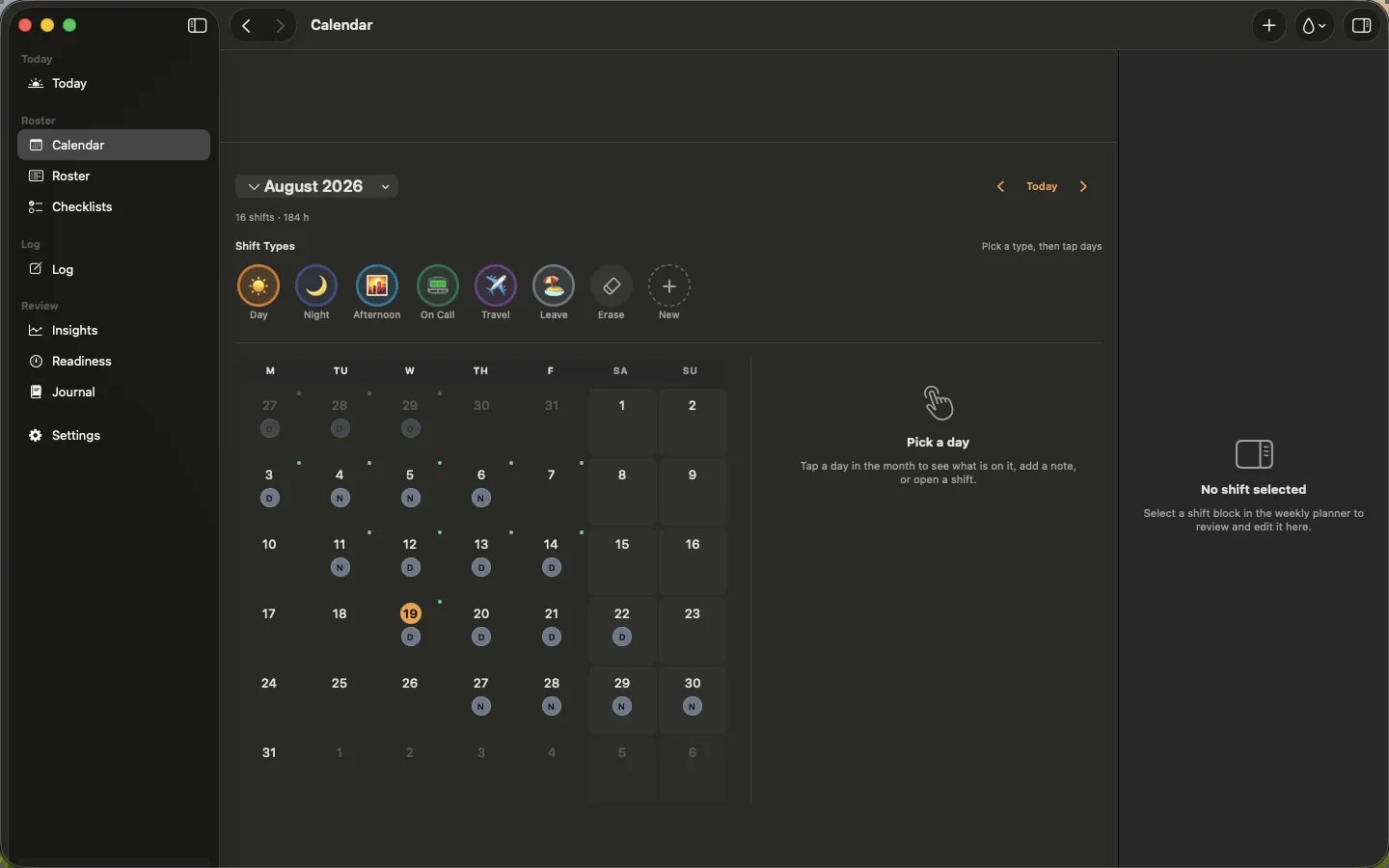
ShiftKit on Mac: the Calendar screen. The month in the main window, with the day's detail beside it.
CalendarThe month in the main window, with the day's detail beside it.
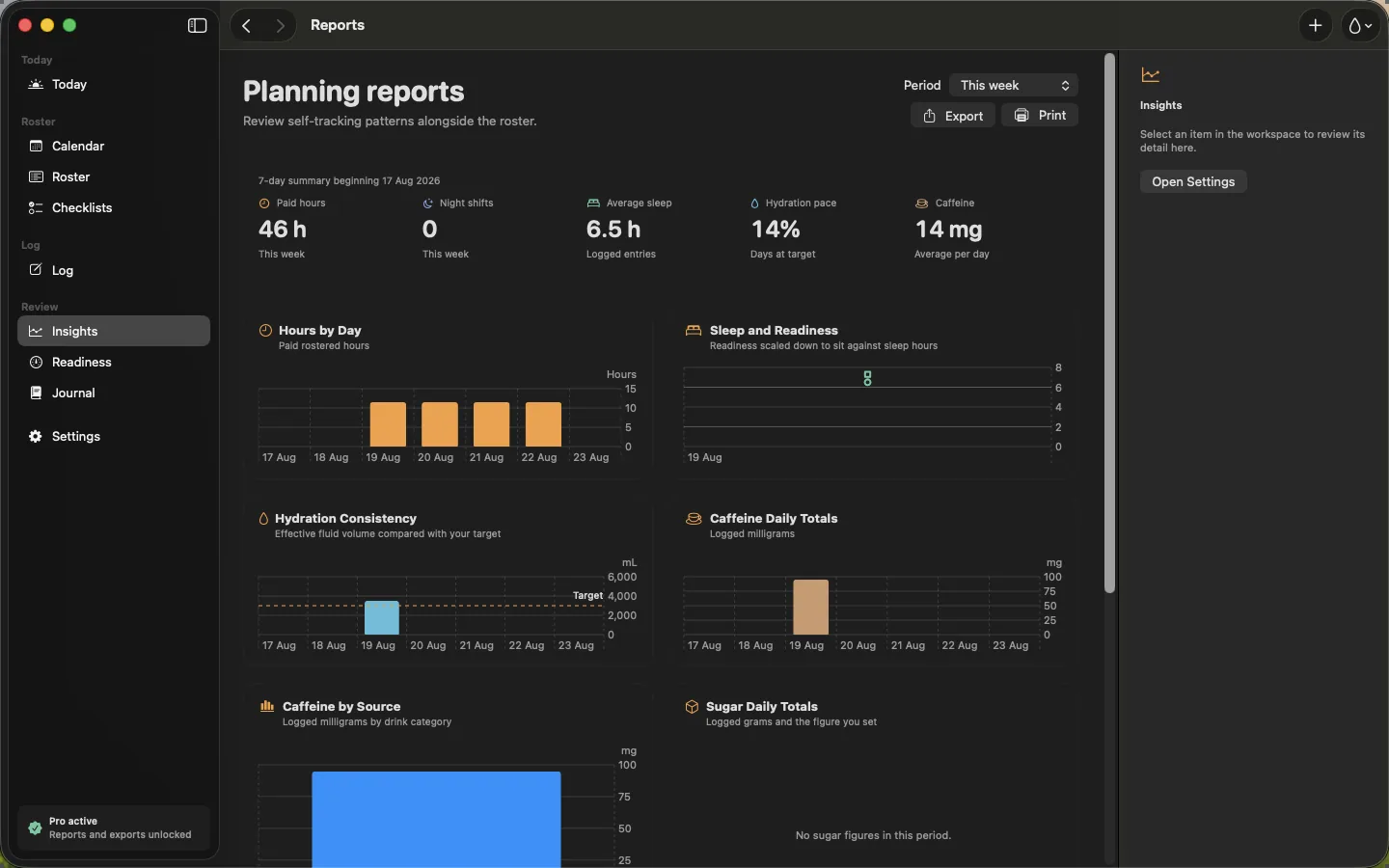
ShiftKit on Mac: the Planning reports screen. Hours, nights, sleep and caffeine across the period you choose.
Planning reportsHours, nights, sleep and caffeine across the period you choose.
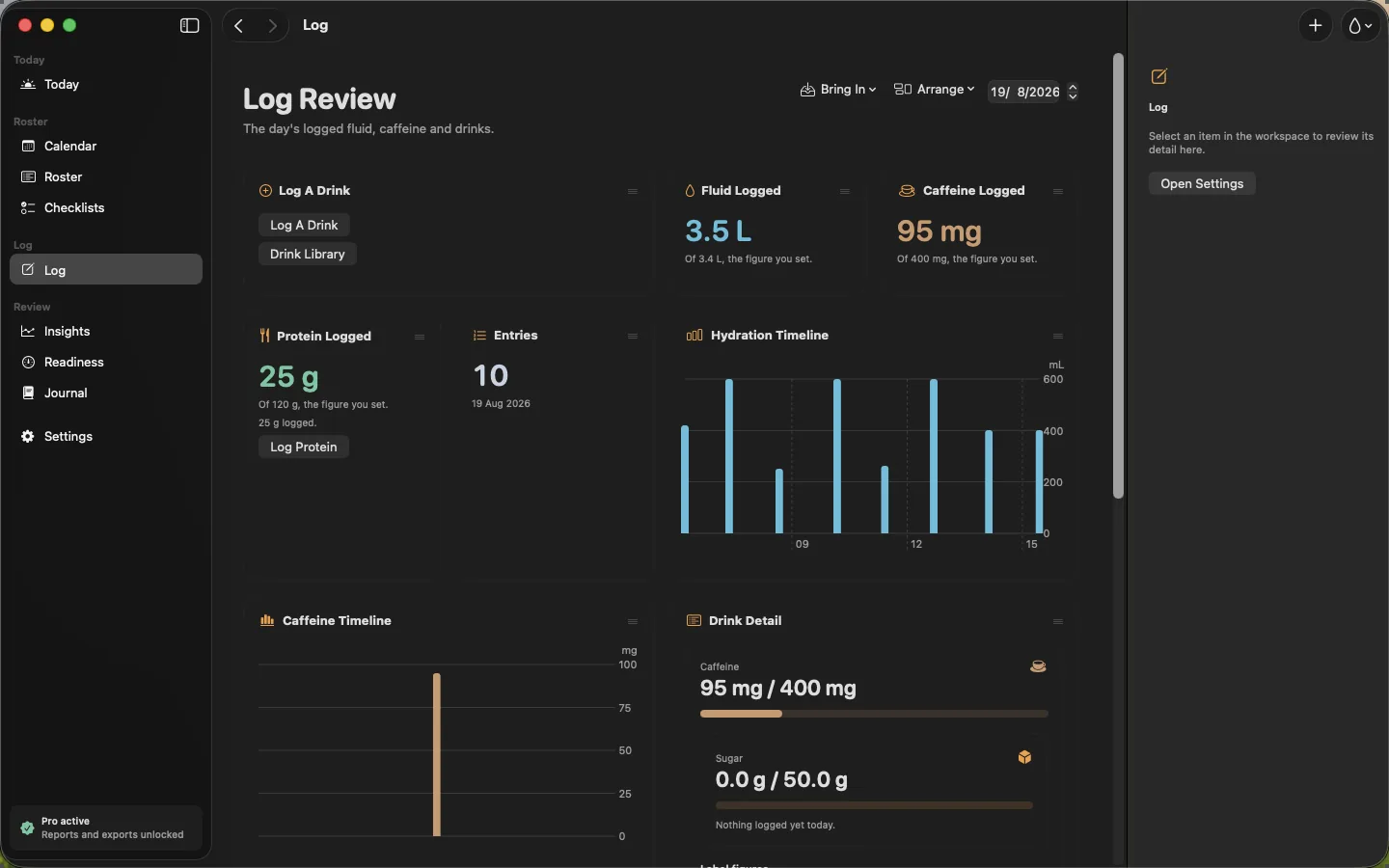
ShiftKit on Mac: the Log review screen. The day's water, caffeine, protein and sugar with their timelines.
Log reviewThe day's water, caffeine, protein and sugar with their timelines.
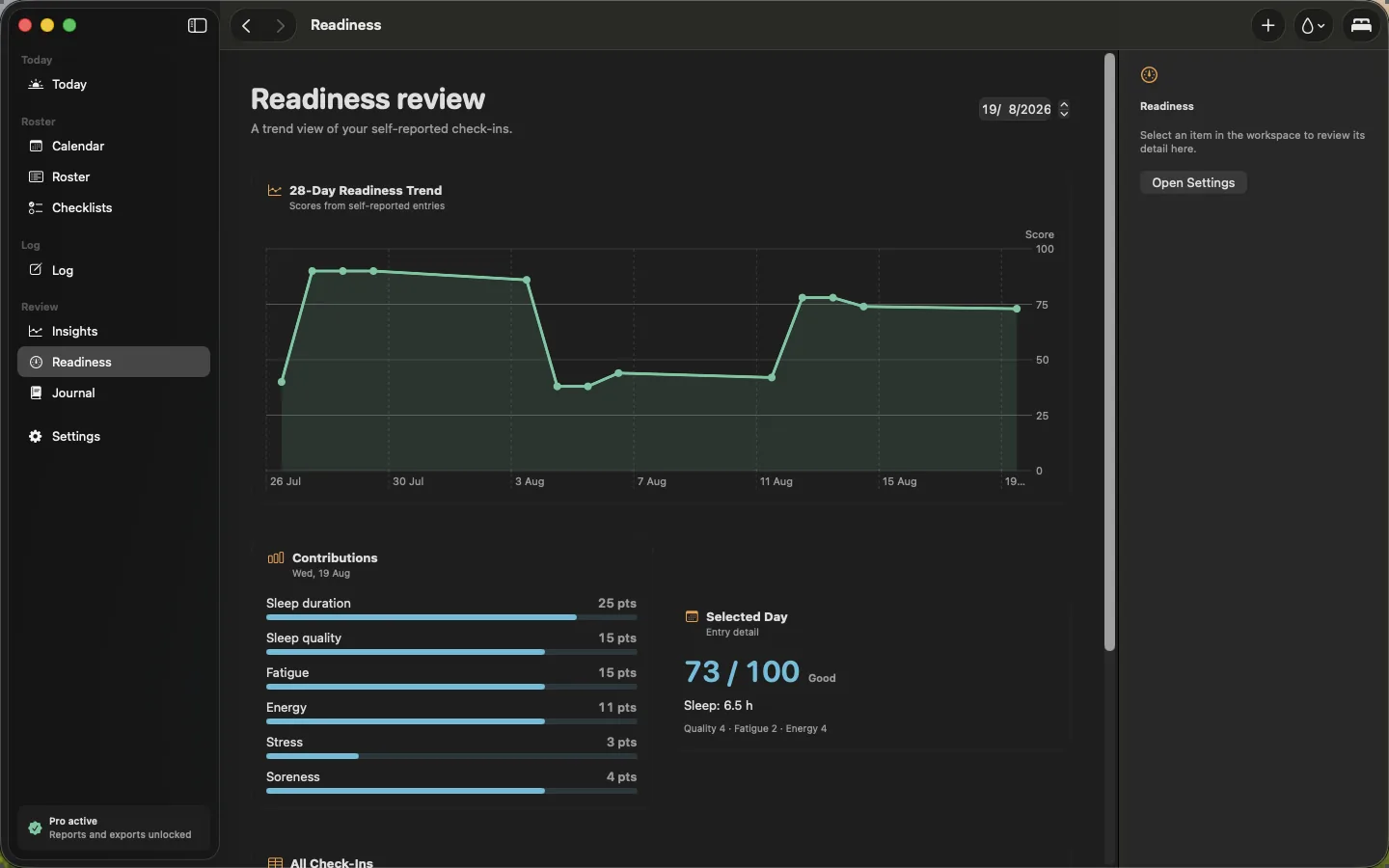
ShiftKit on Mac: the Readiness review screen. The thirty-day trend with each part of the check-in broken out.
Readiness reviewThe thirty-day trend with each part of the check-in broken out.

Apple Watch

Apple Watch

Pages you choose and order from the iPhone. Laid out to fit every size from 41mm up.
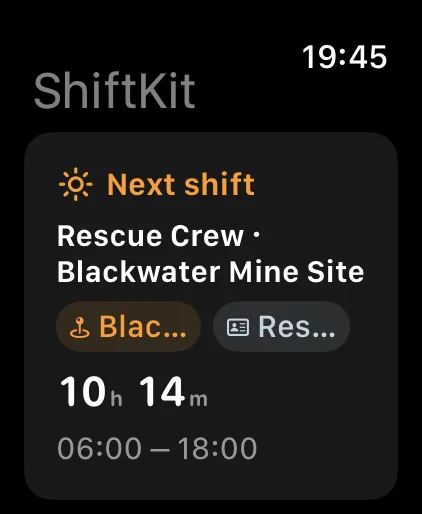
ShiftKit on Apple Watch: the Glance screen. The next shift, where it is and how long until it starts.
GlanceThe next shift, where it is and how long until it starts.
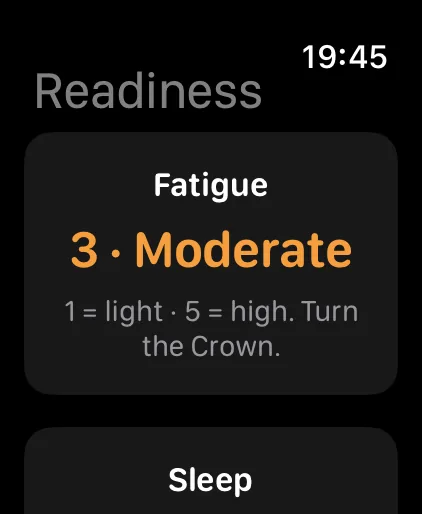
ShiftKit on Apple Watch: the Readiness screen. The morning check-in, one question at a time, on the wrist.
ReadinessThe morning check-in, one question at a time, on the wrist.
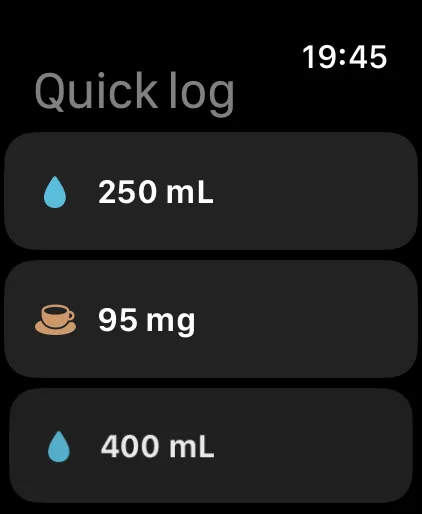
ShiftKit on Apple Watch: the Quick log screen. Your own buttons, one tap each.
Quick logYour own buttons, one tap each.
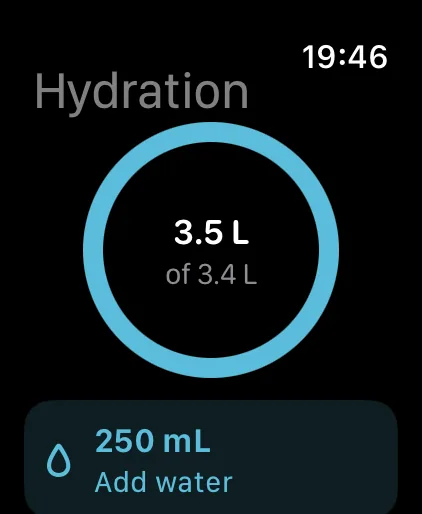
ShiftKit on Apple Watch: the Hydration screen. The day's water against your figure, and a button to add more.
HydrationThe day's water against your figure, and a button to add more.
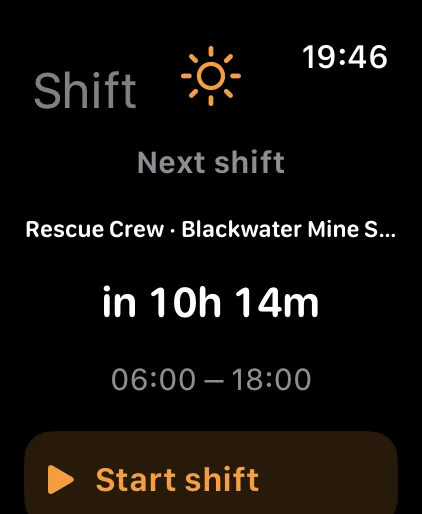
ShiftKit on Apple Watch: the Shift screen. A countdown to the next shift and a button to start it.
ShiftA countdown to the next shift and a button to start it.