Sleep and your body clock
Every sleep you actually had, not just the one that happened at night.
Put in when you got into bed and when you got up, add the bits you know, and ShiftKit keeps time in bed and time asleep apart. Log a day sleep, a nap before a night, or three broken pieces of one.
Seven body clock charts read the result back to you. None of them scores your roster, and none of them says anything about whether you are fit to work.
Writing down a sleep
A day sleep counts, and so does the nap before a night
Log, then Sleep. Put in the time you got into bed and the time you got up, then, if you want, roughly how long it took to fall asleep, how many times you woke, and how long you were awake.
- Nothing beyond the two times is required. The rest is there when you have it and left empty when you do not.
- With Apple Health switched on, sleep your Apple Watch already recorded can fill in last night’s sleep on a readiness check-in instead of you typing it. If the watch was not worn, the field stays empty and you can type it yourself.
- Apple Health is off until you turn it on, each permission is granted in Apple’s own sheet, and you can withdraw it at any time.
Time in bed against time asleep
Two figures, kept apart
Time in bed and time asleep are worked out from what you entered and are kept apart, because they are not the same thing.
- Time in bed is the stretch between getting in and getting up.
- Time asleep takes off how long it took to fall asleep and how long you were awake in the middle.
- Both are shown. Neither is turned into a grade, a score or a verdict on the night.
Why it matters on nights
Eight hours in bed is not eight hours asleep
A day sleep in a bright room is often a long time in bed and a short time asleep. Keeping the two figures separate is the only way that shows up in your own record.
More than one sleep a day
Add every sleep you actually had
A day sleep after a night shift counts. So does a nap before one.
- Add as many sleeps to a day as you actually had.
- The charts add them up rather than keeping only the longest.
- A sleep target is a setting, so the day’s total is compared against your own figure and nobody else’s.
Split sleep is normal on a swing
The record follows the work
Rosters that run days into nights produce sleep in pieces. The log is built for that rather than for one long night.
Wind-down and the audio
Something to do with the last half hour
The wind-down side of the app is a prompt and a set of things to listen to. It is a routine you set, not a treatment.
- A wind-down prompt sits under Settings, Reminders, alongside a pre-shift nudge, fluid prompts at an interval you choose, a caffeine cut-off prompt and a daily check-in. All of them are local to the device and all of them can be switched off. With Pro, the prompts are timed to your roster.
- The sleep sound and alarm screen is free, with the wake alarm, the overnight session and eight sleep sounds inside the app download.
- Breathing and meditation, which is part of Pro: paced breathing with the phase named as it changes, a plain timer for silence, the spoken sessions, and the other 72 pieces of the sound library. Your own music can go in place of any of it.
- The minutes can be sent across to the Health app.
- Audio you choose for bedtime and alarm sounds is kept on the device, and only you can read it.
What it is
A routine, not a remedy
ShiftKit does not claim any of this will make you sleep. It gives you a prompt at a time you chose and something to listen to while you wind down.
The body clock charts
Seven charts, each one named
Insights holds a group of body clock charts, switched on under Settings, Tracking. Each one is a different view of what you wrote down.
- Your days on the clock lays each day out as a 48-hour strip, so a string of nights is visible at a glance.
- Sleep timing consistency puts a single figure on how much your sleep times move about.
- Your sleep timing compares your mid-sleep on days off with your mid-sleep on work days.
- Quick returns lists every gap under eleven hours between finishing and starting again.
- Night blocks groups runs of nights with the days off that followed.
- When you ate shows your first and last intake each day.
- Awake before each shift counts the hours since your last recorded sleep.
What these charts are not
They are a picture of what you wrote down. ShiftKit does not predict how alert you will be, does not score your roster, and says nothing about whether you are fit to work.
Where the figures come from
The studies are listed in the app
Where a chart names a figure from published research, the study behind it is listed under Settings, References.
On the screen
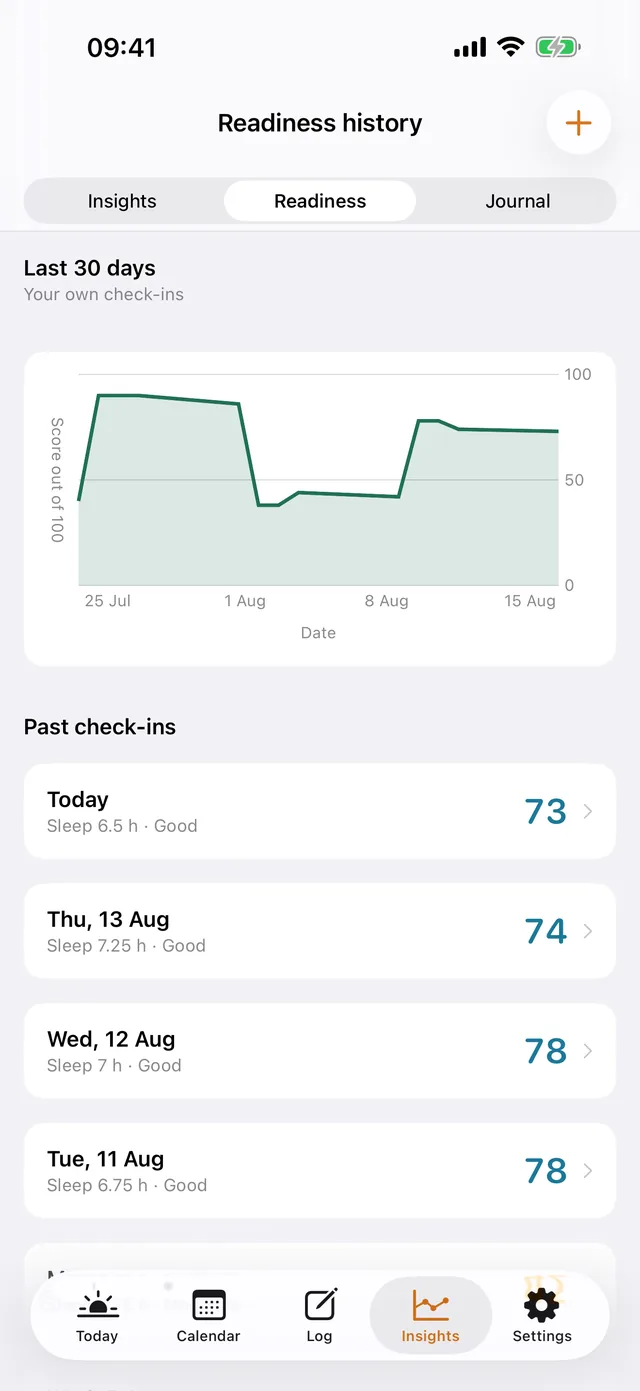
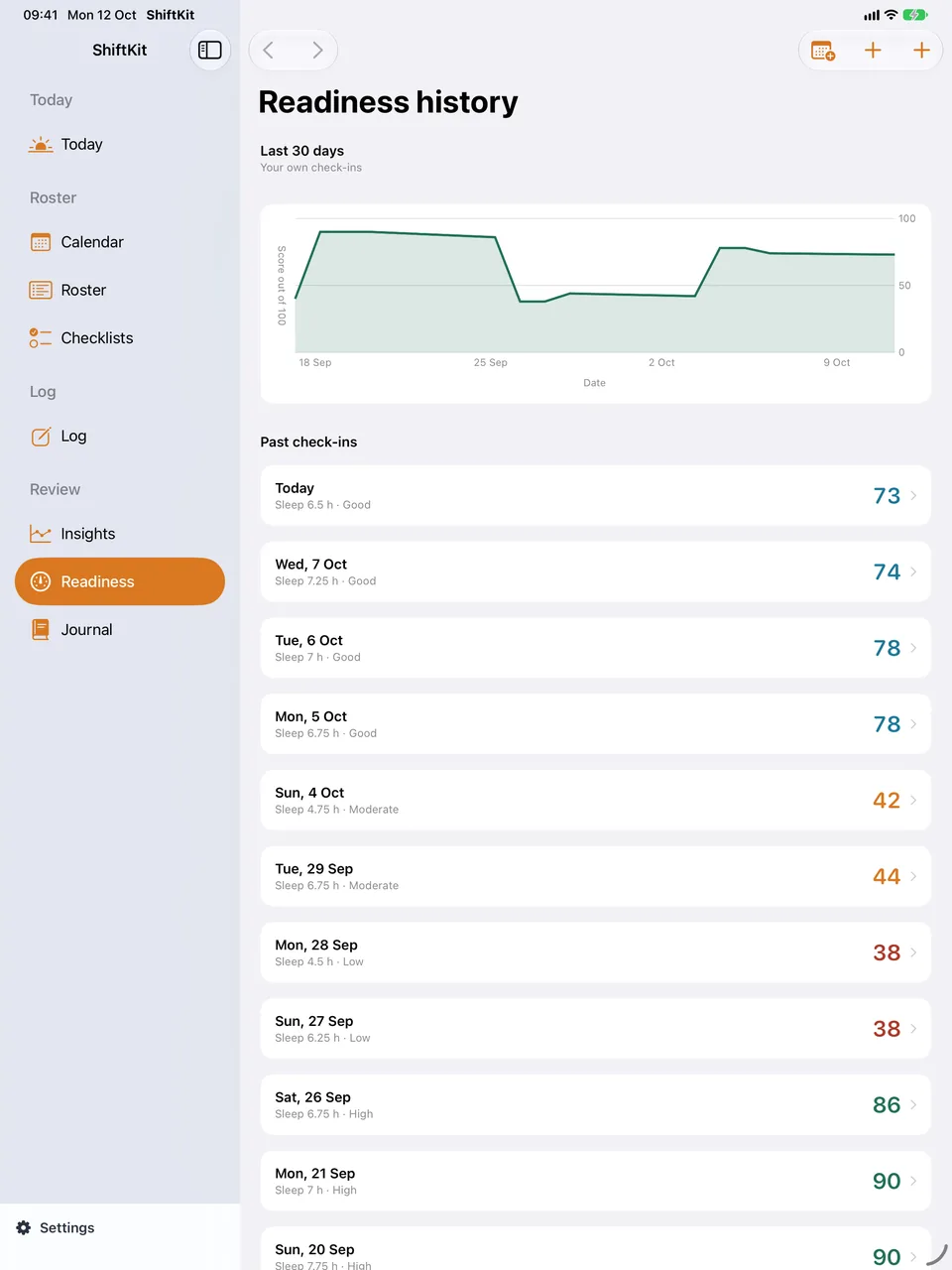
The morning check-in and its history
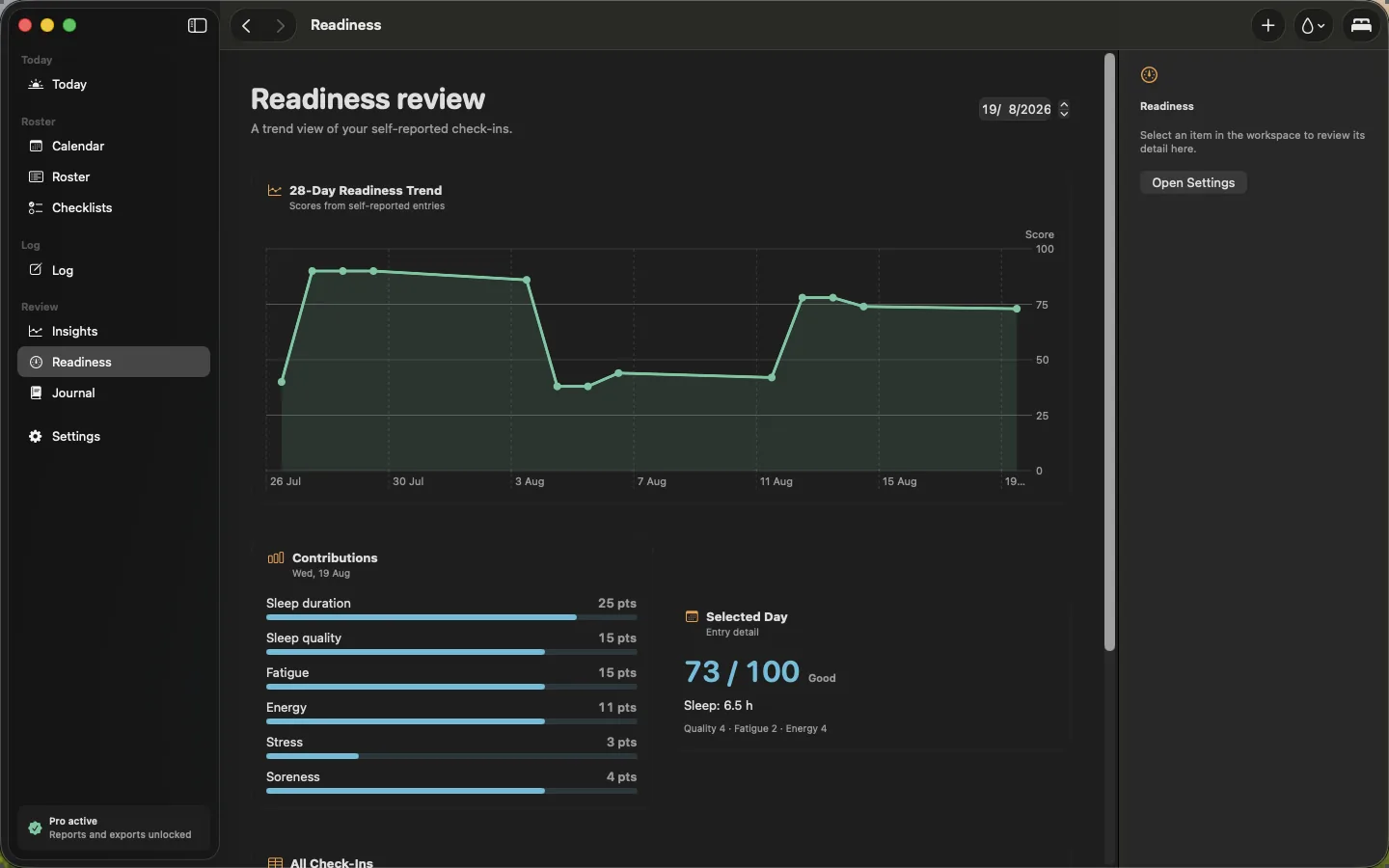
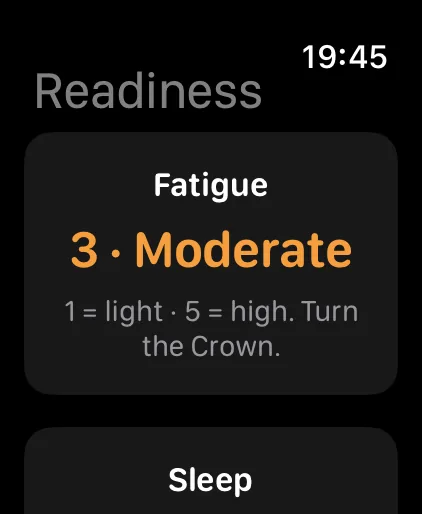
Worth saying plainly
A record of your nights, and nothing more
Sleep is the part of a rotating roster people most want a verdict on, and it is the part where a verdict would be least honest.
- There is no readiness figure hidden inside the sleep log. The readiness figure is the one you build yourself from a check-in, and it is a summary of what you typed in.
- No fatigue score, no alertness prediction and no effectiveness figure is produced anywhere in the app.
- ShiftKit is not a medical device. It does not diagnose anything and it does not assess fitness for duty.
The sound that goes with it
The overnight sound and the alarm come out of the same library
The sound library holds 80 pieces in four families of 20. Three of those families loop, so any of them can be left running overnight or set as the alarm.
- Eight pieces come inside the app download and are free for everyone, so the alarm and the overnight session work without paying for anything. Pro opens the other 72, which are fetched on demand.
- Ambient, Nature and Immersive are offered as the overnight sound and as the alarm sound. A fade eases the sound out after a set time rather than stopping it dead.
- Guided is not offered in either place, and the app does not list it there. A voice giving instructions is neither a sound to sleep through nor a sound to be woken by.
- Your own music can be played in place of any of them.
Where it sits
A free screen, and a Pro library behind it
The sleep sound and alarm screen is free, with eight sounds in the app download. The other 72 sit with Breathing & Meditation, alongside paced breathing, the guided sessions and a plain timer, which are Pro. It is something to put on, and nothing more is claimed for it.
Do not disturb
ShiftKit cannot turn a Focus on, so it hands the job to something that can
Do not disturb sits with the sleep sound and alarm. It gets the Focus profile you choose turned on for a night session and turned off again in the morning. ShiftKit does not do the turning: no app on any Apple platform can set a Focus, because there is no way for one to ask. So the setting is a hand-off, either to iOS itself or to the Shortcuts app.
- While the night screen is open. iOS turns your chosen Focus on whenever ShiftKit is open, and off again when you leave. You set that up once in the Settings app: Settings › Focus › your profile › Turn On Automatically › Add Schedule or Automation › App › ShiftKit. Nothing happens on screen at bedtime and nothing has to be run, and it releases by itself in the morning. This is the one to use.
- Run one of my shortcuts. The Shortcuts app is allowed to set a Focus, so ShiftKit asks it to run a shortcut you wrote. That works from any screen rather than only the night screen. The trade-off is that the Shortcuts app flicks up for a second: fine at bedtime, unwelcome at six in the morning.
- You name the profile yourself. Sleep, Do Not Disturb, Personal and Work are offered from a menu, and anything else is typed in by hand. There is no way to read the list of Focus profiles on the device either, so the name has to come from you.
- Turning it off again in the morning is on by default. A Focus still on at lunchtime is a worse failure than one that never came on. The morning hand-off fires on every path that ends a session: the alarm, closing the night screen, or the music player taking the audio.
- There is a “Try the bedtime one now” button. A mistyped shortcut name fails completely silently, and the night it matters is the wrong time to find that out. The button runs it while you are looking at the screen.
- Four entries in Settings search point at it, so “dnd”, “focus”, “silence” or “mute” all find it.
Worth saying plainly
It asks; it does not do
Apple keeps Focus for the person holding the phone. ShiftKit never says your phone is silent, because it has no way of knowing and no way of making it so. It either leans on Apple’s own automation or asks the Shortcuts app, and if neither is set up, nothing happens at bedtime.
Both paths are set up by you, once, and either can be left alone after that.
Free and Pro
What stays free, and what needs Pro
Free, with no ceiling
- Unlimited readiness check-ins, including the hours you slept and how you rated the sleep.
- A sleep target of your own.
- A wind-down reminder, and the other reminders on the free tier’s single scheduled slot.
- The sleep sound and alarm screen: a wake time with a fade-in ramp, snooze and backstop repeats, the overnight session, the Do Not Disturb and Focus hand-off, and the eight sleep sounds inside the app download.
- Trends and charts looking back seven days.
Part of Pro
- Logging every sleep in a day, and the seven body clock charts built from what you wrote down.
- Trends & Reports — sleep, hydration, workload and readiness trends over weeks and months.
- Apple Health — reading the sleep your Apple Watch already recorded instead of typing it.
- Shift-aware Reminders — pre-shift, mid-shift and wind-down prompts timed to your roster.
- The rest of the sound library — the other 72 pieces, fetched on demand — with Breathing & Meditation: paced breathing, a plain timer and the guided sessions.
- Circadian Load — one figure from 0 to 100 for the day, drawn as a ring, from your roster and the sleep and heart figures already in Health.
- Printed Reports and the Read Report, which puts the rings, the curves and the day behind them on one page.
Pro is AUD $7.99 a month, AUD $44.99 a year with a 7-day free trial, or AUD $119.99 once for Lifetime, which includes Pro features added later. One purchase covers iPhone, iPad, Mac and Apple Watch.
Before you start
A tool for you, not a record for anyone else
ShiftKit is not a medical device. It does not diagnose anything, it does not assess fitness for duty, and it is not an approved system of record. Do not put patient-identifying information or incident numbers into it. Everything it shows you is a summary of what you chose to log, held in your own iCloud.