
Food, drink and what you take
What went on the plate, and what you took with it.
ShiftKit writes down what you ate, drank and took, with the libraries built for camp kitchens, crib rooms and the second coffee at 3am. It does not say what any of it does for you, and it never suggests changing any of it.
Medicines and supplements are recorded as an amount taken at a time. Half-life figures are always a range, and a detection window is not a clearance time.
Meals and protein
What went on the plate
Log, then Food. A meal takes a short description, the kind of meal and, if you care about it, the protein in grams.
- The protein library holds the foods you use often, so you are picking rather than typing. It ships with one hundred Australian products, and a barcode lookup, a meal or a plain number typed in all work as well.
- Protein for the day is set against the figure you chose yourself.
- ShiftKit writes down what you ate. It does not say what any of it does for you, and it never suggests changing it.
Home, camp and the crib room
Dinners you cook, and the mess rotation
Two libraries, because a dinner you cook at home and a meal off a camp servery are logged in completely different ways.
- The home dinners library holds meals as you actually make them, with the portions you serve. Pick one and it goes in as a meal with its description already written. Add your own, and edit any of the ones the app ships with.
- Camp kitchens serve the same rotation for weeks. The camp food library carries the usual mess and crib room items, so a night shift meal takes two taps instead of a sentence of typing.
- Once you have put a plate together, save it. Saved plates sit at the top of the food screen and go in whole, with everything that was on them, including the condiments. Rename or delete one from its context menu.
- Condiments are recorded as items alongside the meal: sauce, gravy, butter, mayonnaise, dressing, and how much. ShiftKit says what went on, and nothing more than that.
Two taps at 3am
Built for the way the meal actually happens
A crib room meal gets logged in the two minutes you have, or it does not get logged at all. That is why the libraries and the saved plates exist.
Snacks and sugar
By the serving, or by the gram
Snacks go in by serving or by grams, from a library of Australian chocolate, lollies, biscuits and ice cream, with your own custom products alongside them.
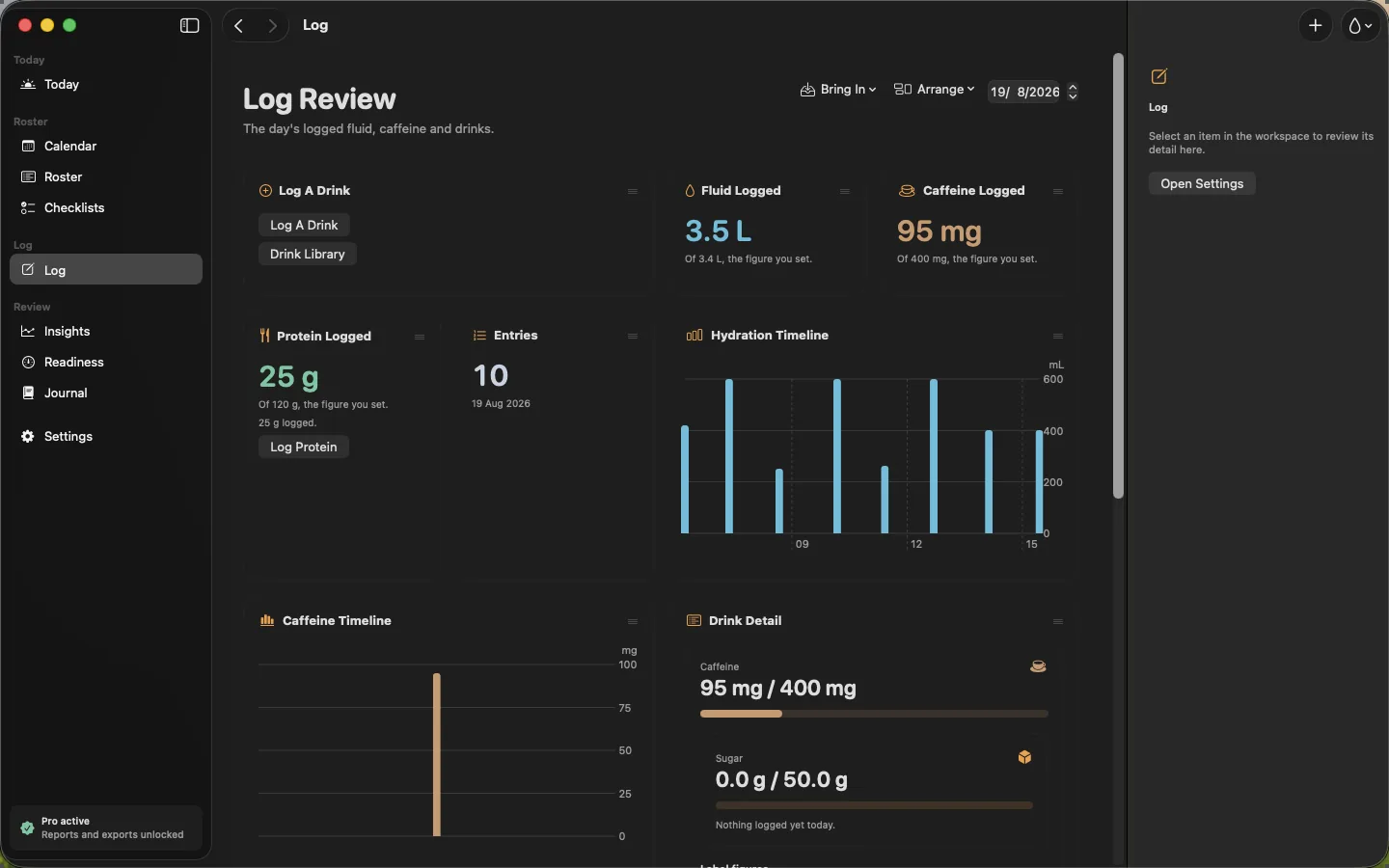
- With sugar tracking switched on in Settings, the sugar in a snack or a drink is added to the day, with your own ceiling as the line to compare it against.
- The figures shown against a snack or a drink are the ones you set yourself in Settings, not advice.
- Energy drinks are logged by name with their full label — caffeine, sugar, taurine, guarana and B vitamins — and the day’s sugar adds up from snacks and drinks together.
Described, never judged
A record of what you ate
Nothing in the food log is ranked, graded or labelled. It is a list of what went in, with the figures off the label.
Fluids, caffeine and the cut-off
Water, and when to stop on the coffee
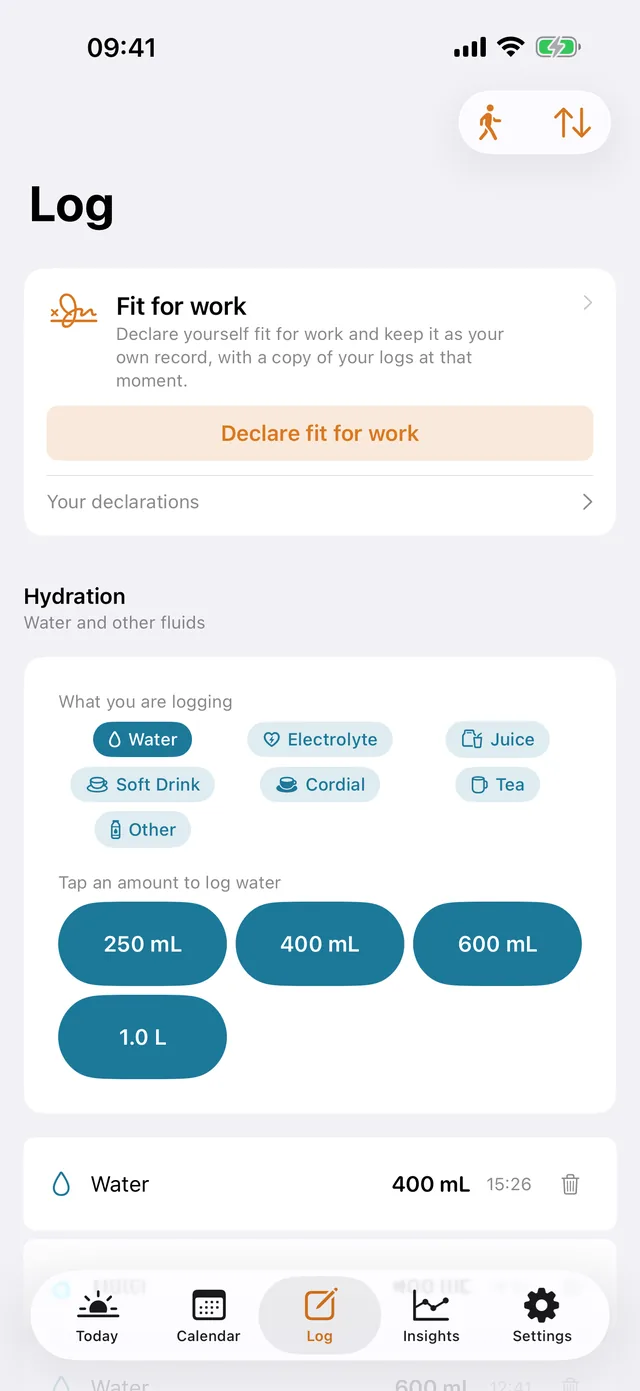
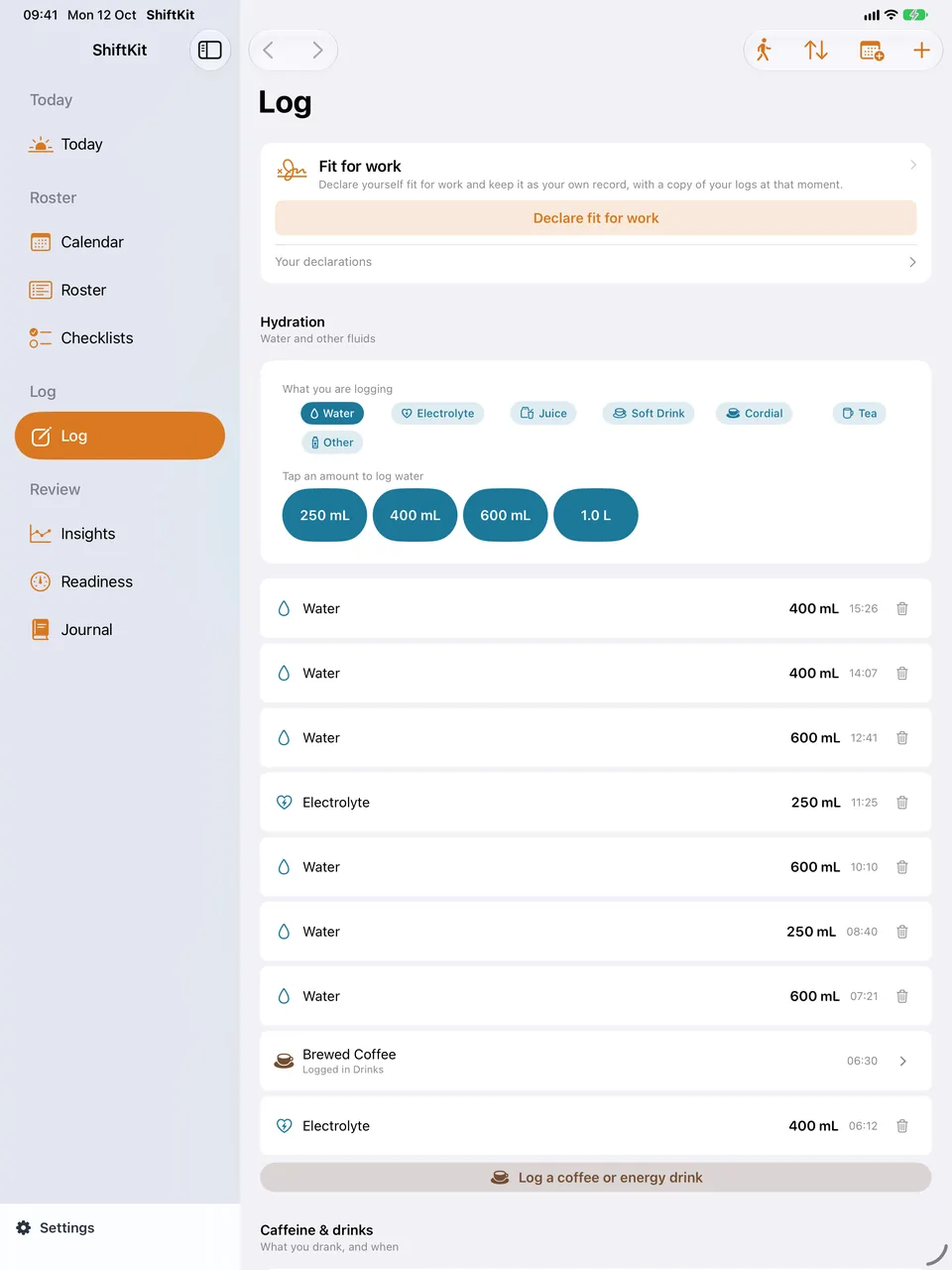
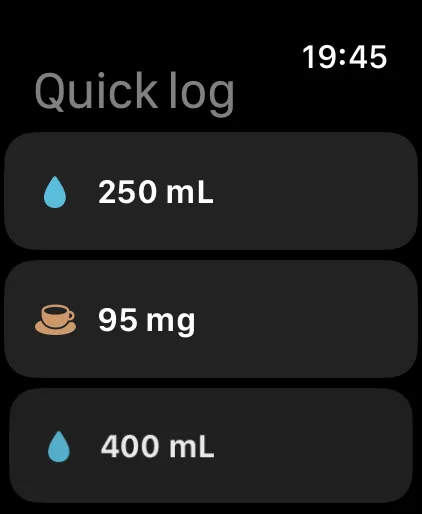
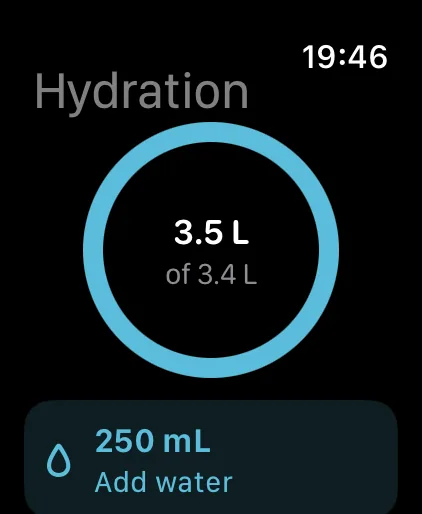
Tap a quick amount on the fluids card, or open Drinks to log something from the library with its own size and ingredients. Set the daily figure you want to aim for in Settings under Targets.
- Free quick caffeine logging for coffee, instant coffee, espresso, energy drink, tea, cola, tablets or other, each with your own milligram figure.
- ShiftKit models the on-board curve on a five-hour half-life and works back from your sleep window to show a cut-off for the day. The cut-off moves with your roster — a night shift pushes it later, a day shift pulls it earlier.
- Each drink in the library carries its caffeine, sugar, taurine and guarana per serve, so logging a drink logs those at the same time. The library ships with the tins and sachets that turn up in a crib room — instant coffee, three-in-one sachets, chicory blends and the rest — each with its own stated serve.
- When the library does not have your drink, the add button in Drinks can search a public product database. Type the name, the brand or the barcode, pick a result, then check every figure before it goes in. Coverage is uneven and caffeine is the figure most often missing, so read the can and correct anything that differs. Only the words you type are sent.
- A quick log button carries over the amount you used last time, so the second cup of coffee is one tap. Press and hold one to change the amount it carries, or to log a different one.
Where the cut-off comes from
Your sleep window, worked backwards
The caffeine cut-off is arithmetic on the sleep window you set and the half-life the model uses. It is not a statement about how you will sleep.
On the screen
Logging, in a tap
Alcohol
Australian standard drinks, against the day
The alcohol day screen records standard drinks against the day, from a library of the usual beers, wines and spirits with their sizes.
- Figures are Australian standard drinks.
- It is a count of what you recorded against a date, kept beside the shifts you worked.
- Nothing is scored, rated or turned into a limit, and nothing is said about driving.
A number you wrote down
No verdict attached
The alcohol screen holds a figure and a date. It draws no conclusion from them.
Medicines, supplements and melatonin
What you took, the amount, and when
Log, then Medicines. Pick what you took and the amount taken, and the time fills itself in. The catalogue carries the medicines shift workers most often ask about, and you can add anything that is not there.
- The supplement library records what you take and the amount taken, and carries the vitamins, minerals and other figures the label declares into the day. ShiftKit does not say what a supplement is for or what it does, because that is not something a log can tell you.
- Melatonin is in the catalogue with its usual forms and amounts, recorded the same way as anything else you take. In Australia most forms are prescription only. ShiftKit records what you took and when, and gives no guidance on whether, when or how much to take.
- Where the reference pages give a half-life it is always a range, because the figure differs between people and between products.
- A detection window, where one is given, is how long a test can pick something up. It is not how long the effect lasts, and it is not a clearance time.
- If diabetes tracking is on, the diabetes screen holds blood glucose readings and the insulin library holds what you use, recorded as units taken at a time. ShiftKit records what you enter and does not calculate anything for you.
A diary, not advice
Never a reason to change anything
The medicines side of ShiftKit is a record of what you took and when. It is not a recommendation, and it is never a reason to change what you take.
Everything you are taking
One page to hand over
Settings, Everything you are taking, is one list of every medicine, supplement and sleep aid you have recorded, with the amount taken and when.
- It is the page to show a pharmacist or a doctor.
- It prints, so it can go with you rather than being read off a screen.
- It is built from your own entries. Nothing appears on it that you did not log.
Why one page
Because the question is always the same
Anyone who asks what you are taking wants one list, not six screens. This is that list.
Free and Pro
What stays free, and what needs Pro
Free, with no ceiling
- Unlimited water logging against a daily target you set.
- Unlimited quick caffeine logging — coffee, instant coffee, espresso, energy drink, tea, cola, tablets or other — each with your own milligram figure.
- The caffeine cut-off, worked back from your sleep window.
- The Today screen, with the fluids and caffeine cards where you want them.
- Trends and charts looking back seven days.
Part of Pro
- Energy Drinks & Sugar — named products with their full label, the Australian snack library, your own custom products, and the day’s sugar against the figure you set.
- Protein Tracking — the library of Australian products, barcode lookup, protein on meals and on drink labels, and the day’s total against your own figure.
- Supplement Tracking, and the figures the label declares carried into the day.
- Medications — your own list, the amount taken and when, and the published half-life range in the reference library.
- Glucose & Insulin — readings and units taken, kept as a record.
- Apple Health — sending the water and caffeine you log across to the Health app.
- Trends and charts across your whole history, and the Read Report with every meal, drink and snack itemised.
Pro is AUD $7.99 a month, AUD $44.99 a year with a 7-day free trial, or AUD $119.99 once for Lifetime, which includes Pro features added later. One purchase covers iPhone, iPad, Mac and Apple Watch.
Before you start
A tool for you, not a record for anyone else
ShiftKit is not a medical device. It does not diagnose anything, it does not assess fitness for duty, and it is not an approved system of record. Do not put patient-identifying information or incident numbers into it. Everything it shows you is a summary of what you chose to log, held in your own iCloud.